
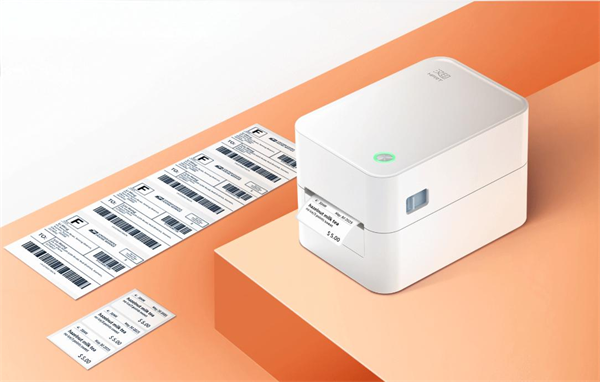
Thermal printing supports a wide range of business applications, from package identification and product labeling to retail transactions and order processing. But what is a thermal printer, and how does it differ from the inkjet or laser printer sitting in your home office?
This article explains how thermal printing works, the critical differences between direct thermal and thermal transfer methods, and how to select the right printing hardware for your specific business needs.
What Is Thermal Printing?
Definition: Thermal printing is a digital printing method that uses a heated printhead to create text, barcodes, and images on specially coated media or through a transfer ribbon.
The Difference: A thermal printer is a device that produces printed content by applying controlled heat. Unlike inkjet printers, it does not spray liquid ink onto paper. Unlike laser printers, it does not use toner and a fusing process.
Best Used For: High-speed, high-volume, on-demand printing of shipping labels, barcodes, POS receipts, and logistics tags.
Thermal vs. Inkjet vs. Laser Printing: Quick Comparison
Thermal, inkjet, and laser printers use different imaging methods and consumables, making them suitable for different printing tasks.
|
Printing Technology |
How It Works |
Main Consumables |
Typical Applications |
|
|
Thermal Printing |
Uses heat from a printhead to create images on compatible media. |
Thermal paper or labels; ribbons may be required depending on the printer. |
Shipping labels, product labels, barcodes, receipts, tickets |
|
|
Inkjet Printing |
Sprays microscopic liquid ink droplets onto media. |
Ink cartridges or tanks |
Photos, documents, color graphics |
|
|
Laser Printing |
Uses electrostatic imaging to transfer toner onto paper, followed by heat fusing. |
Toner cartridges and, depending on the design, drum units |
Office documents, reports, invoices |
|
• Thermal printing is particularly suitable for on-demand label, barcode, and receipt production.
• Inkjet printing is better suited to color graphics and photographs.
• Laser printing is widely used for general office documents.
Thermal printers use different printing methods depending on their design. The following section explains how these methods work.
How Does Thermal Printing Work?
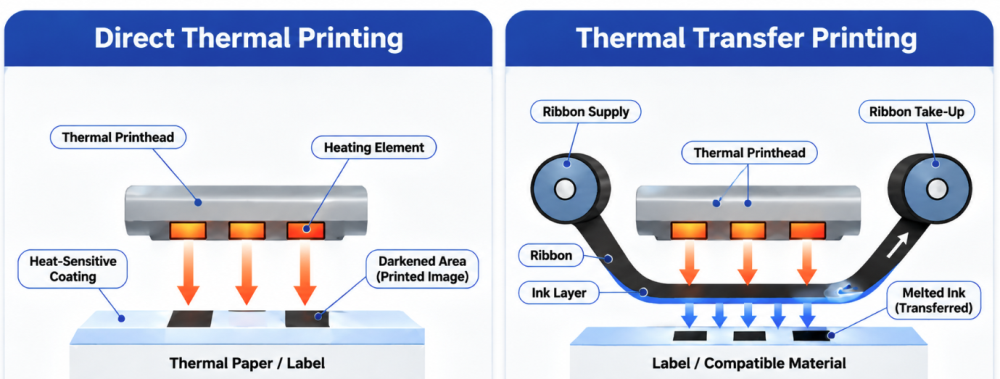
Thermal printers form images by applying heat to printing media. The main component is the Thermal Printhead (TPH), which contains a row of individually controlled heating elements. A rubber platen roller helps move the media beneath the printhead and maintain consistent contact during printing.
When the printer receives a print command, its controller activates selected heating elements according to the image data. The resulting heat creates text, graphics, and barcodes on the media.
However, how that heat creates the image depends on the two distinct types of thermal technology: Direct Thermal and Thermal Transfer.
1. Direct Thermal Printing
Direct thermal printing uses heat-sensitive paper or labels that darken when heated by the printhead.
Direct thermal media contains a heat-sensitive coating that typically includes leuco dyes and color developers. When heated by the printhead, the coating's reactive components melt and interact, causing the leuco dye to undergo a structural change and develop a visible image, usually in black.
How the process works:
1. Media Feeding: Heat-sensitive paper or labels move beneath the thermal printhead.
2. Heat Activation: Selected heating elements activate the coating.
3. Chemical Reaction: The heated areas change color, usually to black.
4. Final Output: Crisp text, graphics, and barcodes instantly appear.
• Pros: Extremely simple to operate; fewer consumables to buy and manage (no ribbons).
• Cons: The printed image is sensitive to the environment. It can gradually fade or turn completely black when exposed to prolonged heat, UV sunlight, abrasion, or certain chemicals.
• Best For: Short-term applications like shipping labels, grocery receipts, and temporary visitor badges.
2. Thermal Transfer Printing
Thermal transfer printing uses heat to transfer ink from a coated ribbon onto a label or other compatible material.
A thermal transfer printer places a specialized ribbon between the printhead and the printing media. When the printhead heats selected areas of the ribbon, the ink layer softens or melts and transfers from the ribbon's carrier film onto the media, forming text, graphics, and barcodes.
How the process works:
1. Media & Ribbon Feeding: A label or other compatible material moves through the printer.
2. Heat Transfer: The printhead heats selected areas of the ribbon.
3. Ink Melting: The coating on the ribbon melts and bonds to the label material.
4. Final Output: A highly durable, long-lasting print is created.
A thermal transfer printer can work with different label materials, including coated paper and synthetic substrates, depending on the ribbon and printer specifications.
Common ribbon types include:
• Wax Ribbons: Commonly used for paper labels in general-purpose applications.
• Wax-Resin Ribbons: Suitable for applications requiring greater resistance to smudging and abrasion, depending on the media combination.
• Resin Ribbons: Designed for compatible synthetic materials where higher resistance to chemicals, heat, or abrasion is required.
Direct Thermal vs. Thermal Transfer Printing
Both methods use heat, but they differ in consumables, media compatibility, and print durability.
|
Feature |
Direct Thermal |
Thermal Transfer |
|
Printing Method |
Heat activates the media coating |
Heat transfers ink from a ribbon |
|
Ribbon Required |
No |
Yes |
|
Media |
Heat-sensitive paper or labels |
Paper and compatible synthetic materials |
|
Print Durability |
Generally more sensitive to heat, light, and abrasion |
Can provide greater durability with suitable media and ribbon |
|
Consumables |
Thermal media |
Labels and transfer ribbons |
|
Common Applications |
Shipping labels, receipts, temporary labels |
Product labels, asset labels, industrial identification |
Choose direct thermal for short-term printing where simple operation and fewer consumables are priorities. Choose thermal transfer when label material flexibility and longer-lasting identification are more important.
What Are Thermal Printers Used For?

Thermal printers are used to produce labels, barcodes, receipts, tickets, wristbands, and other printed materials across commercial and industrial workflows.
Their applications can be grouped by the type of content being printed.
Labels and Barcodes
Thermal label printers produce adhesive labels containing product information, shipping details, barcodes, and identification data.
Common applications include:
✔️ Shipping Labels: Used by logistics companies, warehouses, and e-commerce businesses to identify packages and support delivery tracking.
✔️ Product Labels: Display product names, prices, specifications, and barcodes in retail and manufacturing.
✔️ Inventory Labels: Help warehouses identify products, storage locations, and stock information.
✔️ Asset Labels: Identify equipment, tools, and other business assets.
✔️ Manufacturing Labels: Support product identification, batch tracking, and production traceability.
Direct thermal printing is commonly used for shipping labels and other short-term identification tasks. Thermal transfer printing is often preferred when labels must withstand longer storage periods or more demanding environmental conditions, such as outdoor signage and equipment ID tags.
Receipts and Transaction Records
Thermal receipt printers produce transaction records and order tickets on heat-sensitive paper.
Typical applications include:
✔️ POS receipts in retail stores and supermarkets.
✔️ Order tickets in restaurants and kitchens.
✔️ Payment records and transaction slips.
✔️ Queue tickets and service receipts.
Direct thermal printing is widely used in these applications because it produces text quickly without requiring ink or toner cartridges.
Tickets, Wristbands, and Identification
Thermal printing also supports specialized identification and ticketing tasks.
Examples include:
✔️ Transportation and boarding tickets.
✔️ Event admission tickets.
✔️ Patient identification wristbands.
✔️ Laboratory specimen labels.
✔️ Identification tags for equipment and materials.
These applications require appropriate media selection. For example, healthcare identification labels must maintain barcode readability under their intended storage and handling conditions. Specialized wristbands and synthetic labels may require specific printer and media combinations.
Which Type of Thermal Printer Fits Your Workflow?
Selecting the right thermal printer starts with five practical considerations: daily print volume, media format, operating environment, mobility needs, and required print durability.
Through its HPRT and iDPRT brands, Hanin offers a comprehensive thermal printing portfolio covering desktop label printers, mobile printers, industrial barcode printers, and POS receipt printers. The portfolio serves retail, hospitality, logistics, warehousing, manufacturing, healthcare, and field-service applications—from POS receipts and shipping labels to asset identification and industrial traceability.
1. Desktop Thermal Printers (For SMBs & Offices)
Desktop thermal printers are compact devices designed for fixed workstations and low-to-medium printing volumes. They are commonly used by small and medium-sized businesses, retail stores, offices, and warehouse workstations.
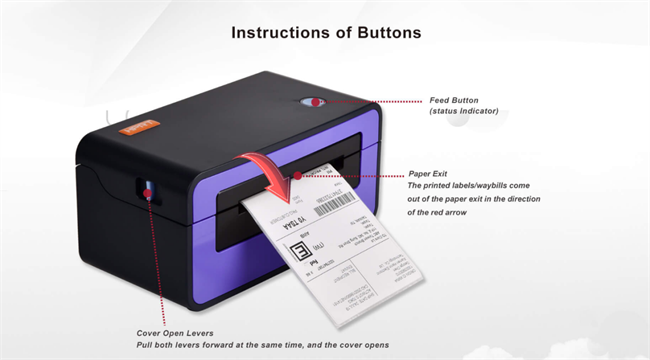
For shipping and e-commerce labels, the HPRT SL42 is a 4-inch direct thermal label printer with printing speeds of up to 150 mm/s. It handles standard 4 x 6-inch carrier labels as well as product barcodes, SKU labels, logo stickers, and address labels, making it well suited to Amazon, Shopify, Etsy, and eBay sellers. (If you are evaluating options for a growing shop, see our full guide to the best label printers for small businesses.)
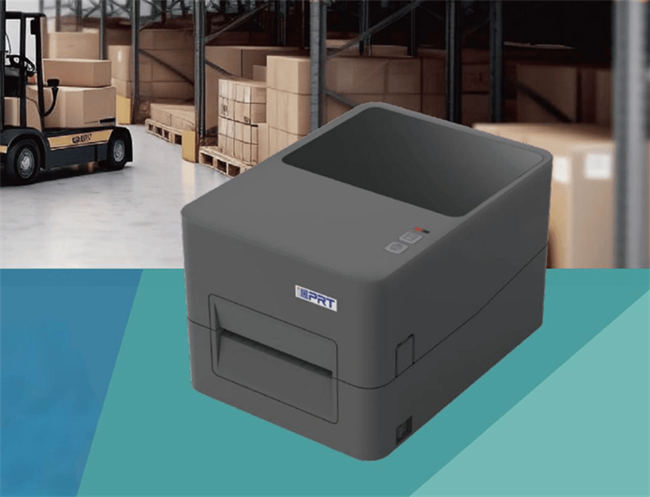
For warehouse labeling that requires durable product barcodes, SKU labels, and serial-number labels, the iDPRT iF4 4-inch barcode printer supports both direct thermal and thermal transfer printing, with 203 dpi and 300 dpi options. Its thermal transfer capability provides greater flexibility for coated paper and synthetic labels used in inventory, asset, and long-term identification applications.
2. Mobile & Portable Thermal Printers (For On-the-Go Operations)
Mobile and portable thermal printers are compact, battery-powered devices designed for printing away from fixed workstations. Depending on your output needs, they fall into two distinct categories:
A. Mobile Label & Receipt Printers (For Logistics & Fieldwork)
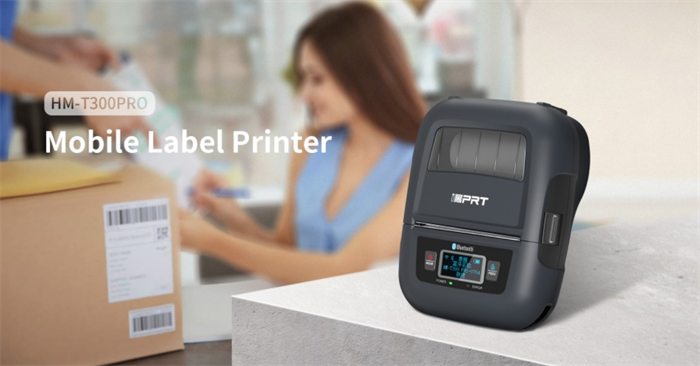
For warehouse picking, delivery operations, and mobile retail, workers need rugged, small-format printers. The iDPRT HM-T300 PRO is a 3-inch direct thermal mobile barcode printer designed for these environments. Connecting via Bluetooth or Wi-Fi, it prints pick-list labels, delivery receipts, and inventory barcodes at up to 80 mm/s right at the point of work.
B. Portable A4 Document Printers (For Business Travel & Study)
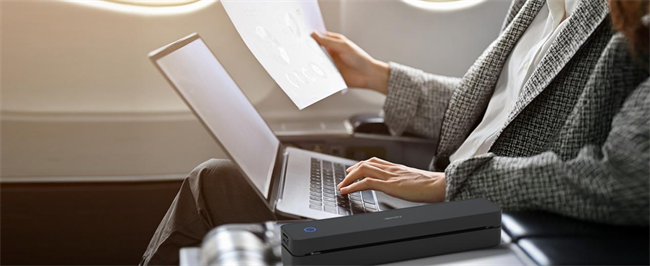
While field workers need small labels, mobile professionals and students often need to print full-size A4 documents, contracts, and design sketches on the go. Hanin revolutionized this space with ultra-compact A4 thermal printers that fit right into a laptop briefcase.
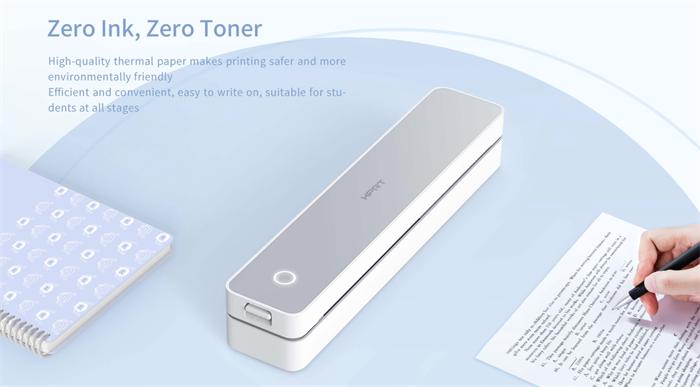
For Inkless Travel Printing (Direct Thermal): The Hanin MT610 Portable Thermal Printer is an incredibly lightweight A4 printer that operates entirely without ink, toner, or ribbons. Simply load it with thermal paper to print sharp documents anywhere. It connects seamlessly to your phone via Bluetooth using the "HerePrint" app, or to your computer via USB. It is the ultimate economical choice for students and busy professionals.
For Business Contracts (Thermal Transfer): If you need to print on standard or glossy A4 paper, the Hanin MT800 Portable Printer is your go-to solution. It uses an ultra-compact thermal transfer ribbon to produce highly legible, waterproof black text without the risk of ink clogs or toner leaks. About the size of a spaghetti box, it is the perfect companion for business travelers needing to print permanent, high-quality PDF or Word contracts at a hotel, coffee shop, or even at the beach.
3. Industrial Thermal Printers (For 24/7 Manufacturing)
Industrial thermal printers are ideal for high-volume, continuous printing in warehouses, manufacturing facilities, and distribution centers. Compared with desktop models, they generally offer larger media capacities, more robust mechanical structures, and configurations for demanding production environments.
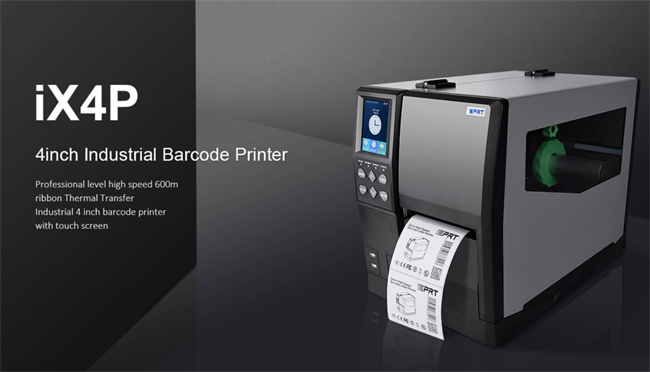
The iDPRT iX4P is a heavy-duty 4-inch industrial barcode printer built for high-volume production. It has a durable metal housing and a 3.5-inch color touchscreen for reliable operation in demanding industrial environments.
Supporting both direct thermal and thermal transfer printing, it offers 203/300/600 dpi resolutions and speeds up to 14 ips, with optional modules for expanded functionality.It is ideal for product identification, serial-number labeling, batch traceability, pallet labeling, and compliance barcodes in warehouses, manufacturing, and distribution centers.
4. Thermal POS Receipt Printers (For Retail & Hospitality)
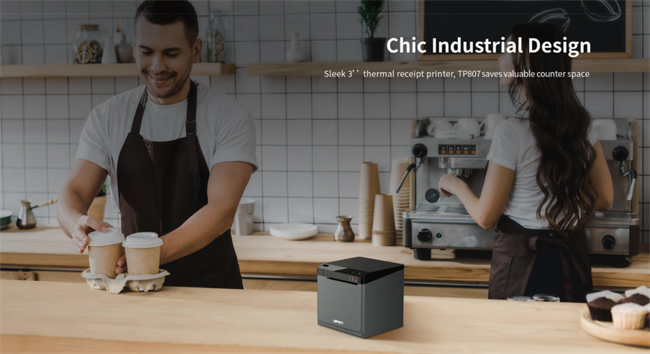
Thermal receipt printers are purpose-built for transaction records, sales slips, and order routing across food service and retail workflows:
• Front-of-House POS Printers: Designed for retail checkout counters and restaurant front desks, delivering fast, quiet, and reliable receipt printing for in-person transactions.
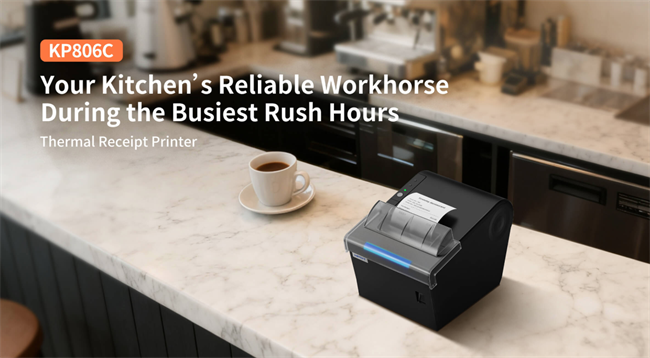
• Kitchen Order Printers: Built for tough kitchen environments with durable, oil- and heat-resistant casings. They produce clear tickets and feature loud alert buzzers. A representative model is the HPRT KP806C, a high-speed 80mm kitchen printer with splash-proof chassis, anti-jam cutter, and audible order alerts.
• Cloud-Connected Order Printers: Ideal for takeaway counters, pickup hubs, and delivery-driven operations, automatically printing online orders directly from cloud platforms without requiring a local POS terminal.
When selecting a POS receipt printer, consider interface compatibility, paper width, cutter configuration, connectivity, and integration with the existing POS or cloud ordering system.
How Do You Choose the Right Thermal Printing Solution?
Once you have identified the appropriate device format, use the following factors to finalize your selection:
|
Selection Factor |
What to Consider |
Recommended Direction |
|
Printing Task |
Labels, barcodes, receipts, or tickets |
Choose a printer designed for the required media format. |
|
Print Durability |
Short-term or long-term readability |
Direct thermal for many short-term tasks; thermal transfer for more demanding label applications. |
|
Daily Print Volume |
Occasional, moderate, or continuous printing |
Desktop: Low-to-medium daily print volumes. Industrial: Sustained high-volume printing and demanding production environments. |
|
Operating Environment |
Fixed workstation, warehouse, production floor, or fieldwork |
Desktop for offices; Mobile for field service; Metal Industrial for factories. |
|
Media Compatibility |
Thermal paper, coated labels, or synthetic materials |
Confirm compatibility with the printer and, where applicable, the transfer ribbon. |
|
Print Resolution |
Standard barcodes, small text, or detailed graphics |
203 dpi for standard shipping and warehouse labels; 300 dpi for smaller text and denser barcodes; 600 dpi for very small, high-detail labels. |
|
Connectivity |
USB, Ethernet, Bluetooth, or Wi-Fi |
Verify compatibility with the POS, ERP, WMS, and other host systems. |
Frequently Asked Questions About Thermal Printing
Q1: Do Thermal Printers Need Ink or Toner?
No. Thermal printers do not use conventional ink cartridges or toner. Direct thermal printers use heat-sensitive media, while thermal transfer printers use a coated ribbon to transfer ink onto the printing material.
Q2: What Kind of Paper Do Thermal Printers Use?
Direct thermal printers use specially coated thermal paper or labels that react to heat. Thermal transfer printers can use compatible paper and synthetic label materials, depending on the ribbon and printer specifications.
Q3: Do Thermal Prints Fade Over Time?
Yes, particularly direct thermal prints. Heat, ultraviolet light, friction, and certain chemicals can accelerate fading or cause discoloration. Thermal transfer prints can offer greater durability when the ribbon and media are matched to the application.
Q4: Can Thermal Printers Print in Color?
Most standard commercial thermal receipt and barcode label printers produce monochrome output. Specialized thermal printing systems can support color, but conventional direct thermal and thermal transfer printers are primarily designed for black printing.
Q5: How Long Do Thermal Printer Prints Last?
The lifespan of thermal prints depends on media quality, ribbon type, and environmental conditions. Direct thermal prints are more sensitive to heat, UV light, and abrasion, while thermal transfer prints, especially those using resin ribbons and synthetic labels, generally offer greater durability. For long-term applications, verify the manufacturer's specifications and test under actual conditions.
Ready to Optimize Your Printing Operations?
Choosing between direct thermal and thermal transfer ultimately depends on your durability requirements, operating environment, and media compatibility. Direct thermal remains the most straightforward, cost-effective choice for short-term shipping labels and receipts, while thermal transfer provides the chemical and abrasion resistance required for long-term industrial tracking.
Through its HPRT and iDPRT brands, Hanin delivers reliable thermal printing solutions designed for seamless integration with enterprise systems and real-world workflows across retail, logistics, manufacturing, and hospitality.
Whether you need to scale mobile printer deployments for warehouse fulfillment or identify the right barcode label printers for harsh operating environments, Hanin's technical engineers are here to assist.
👉 Contact Our Technical Experts for a workflow evaluation and custom SDK integration support.