

How do you choose a portable A4 printer? Can it use regular paper? Does it need ink? Can it print a PDF directly from an iPhone or computer? How long will the print last? What should you do if Bluetooth won't connect?
This article answers common questions about portable A4 printers in five sections: Buying Guide, A4 PDF Printing, Connectivity and Software Support, Troubleshooting, and Recommended Models. If you are still choosing a printer, start with the buying guide and connectivity sections. If you already own one and have a problem, jump to troubleshooting.
Portable A4 Printer Buying Guide
1. Can a Portable A4 Printer Use Regular Paper, and Does It Need Ink?
It depends on the printing technology. Direct thermal portable A4 printers use heat-sensitive paper and need no ink or ribbon. Thermal-transfer models can print on supported regular paper without ink, but they use a ribbon. A portable inkjet printer works more like a conventional desktop printer, using regular paper and ink cartridges.
|
Printer Type |
Can It Use Regular Paper? |
Does It Need Ink? |
Main Advantage and Limitation |
|
Direct thermal printer |
No, thermal paper only |
No, thermal paper is the only consumable |
Very lightweight and inkless, but cannot use regular paper and the print may fade over time |
|
Thermal-transfer printer |
Yes, regular paper |
No ink; uses a solid ribbon |
Supports regular A4 paper without ink and produces longer-lasting print, but the ribbon needs replacement |
|
Portable inkjet printer |
Yes, regular paper |
Yes, ink cartridge |
Supports color printing, but the printer is usually heavier and ink cartridges may present leakage risks during transport |
Note: Both direct thermal and thermal-transfer models are inkless A4 printers, but "inkless" does not mean "consumable-free." Direct thermal A4 printers use special thermal paper, while thermal-transfer printers require a ribbon.
If using standard 80 gsm regular A4 paper is essential, pay particular attention to the printing method and paper compatibility.
For example, the Hanin MT800 is a portable A4 thermal transfer printer that uses a solid ribbon instead of liquid ink. It prints on regular copier paper, is easy to carry, and is ideal for business travel, on-site contracts, field service, and other mobile work.
2. What Paper Sizes Do Portable A4 Thermal Printers Support?
A portable A4 printer can often print more than A4 paper. Many portable A4 thermal printers also support US Letter, while some models can handle A5, B5, and other document sizes. Always check the official paper-size specifications before buying.
Common paper sizes include:
|
Paper Size |
Dimensions |
Compatibility |
|
A4 (ISO 216) |
210 × 297 mm |
Supported by almost all A4 models |
|
US Letter (ANSI) |
216 × 279 mm |
Supported by many thermal models, but specifications should be checked |
|
A5 |
148 × 210 mm |
Supported by many models with adjustable paper guides |
|
B5 |
176 × 250 mm |
Supported by some models; check specifications |
The Hanin MT610 series, for example, supports paper widths from 100 to 216 mm, covering common formats such as A5, B5, A4, and US Letter.
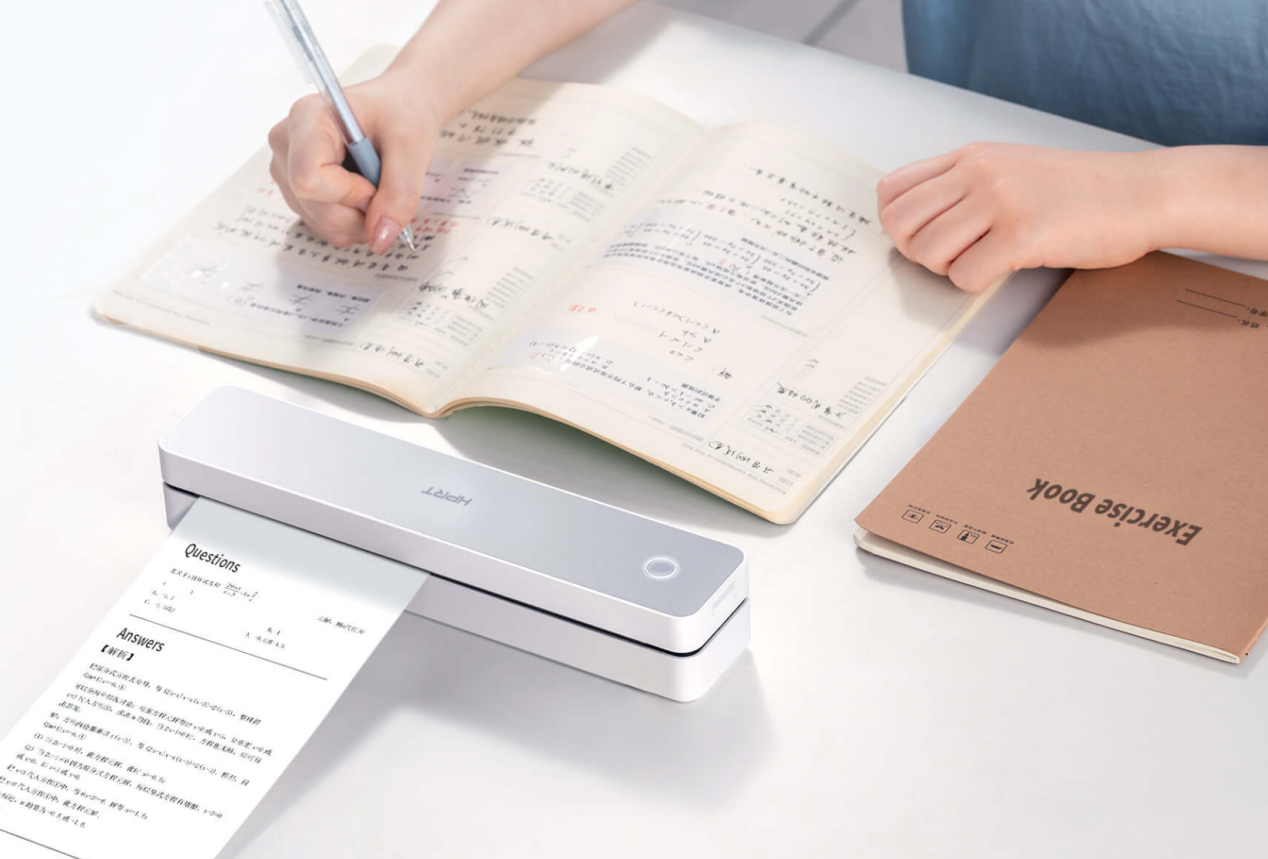
It can print meeting notes, temporary notices, reports, homework, and other standard documents. Students can also use it for wrong-answer exercises, notes, and to-do lists.
The MT610 series weighs about 500 g and uses direct thermal printing, so it does not need ink or toner. It is available in 203 DPI and 300 DPI versions. Its compact design makes it suitable for mobile office work and study.
Many portable A4 printers use single-sheet manual feeding. Some models use continuous thermal paper rolls instead, which removes the need to load paper one sheet at a time.
The Hanin MT810 supports 210 mm and 110 mm thermal paper rolls. It also supports continuous roll printing and includes a built-in cutter.
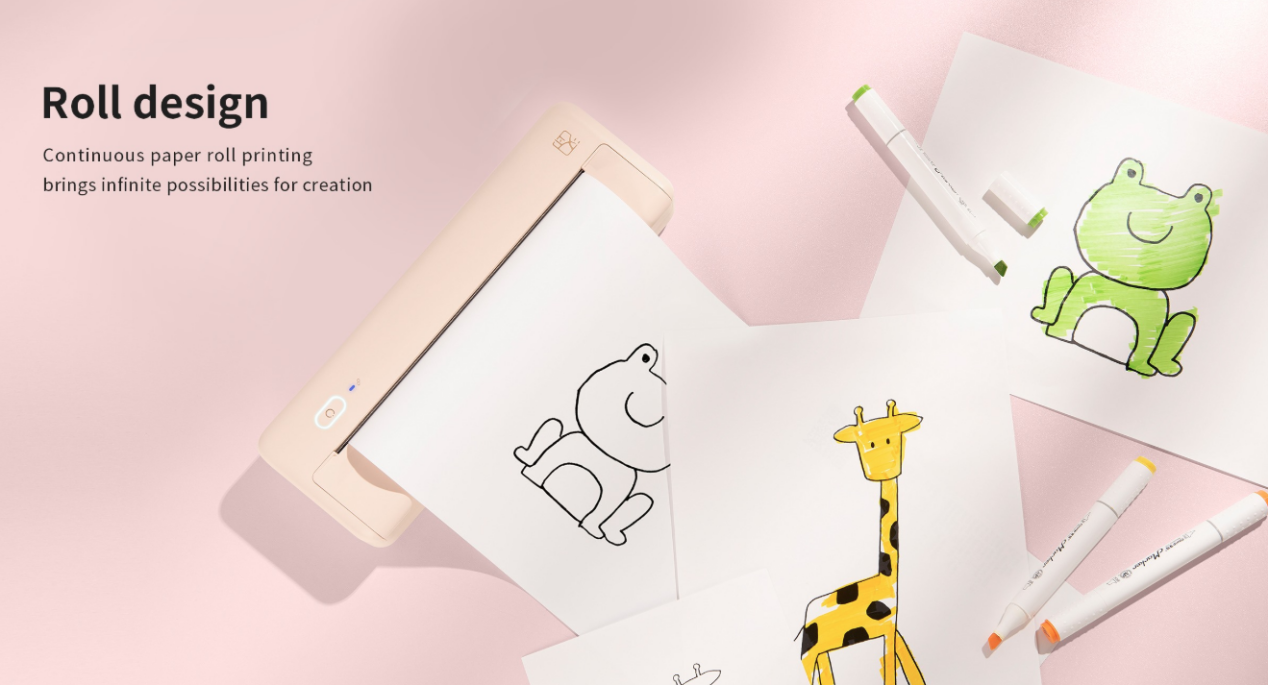
This type of design works well when users need continuous output or documents with no fixed page length, such as long study materials, handmade posters, wrong-answer collections, and text-and-image content.
3. How Long Do Thermal Prints Last?
There is no single lifespan for all thermal prints. Durability depends on the printing method, paper or ribbon, storage conditions, and exposure to heat, light, friction, and chemicals.
Direct thermal paper is particularly sensitive to its environment because the image is formed in a heat-reactive coating.
Poor conditions can accelerate fading or discoloration, including:
• High temperatures
• Direct sunlight
• Friction or scratching
• Contact with oils, alcohol, plasticizers, and other chemicals
• Storage in unsuitable document sleeves or laminated materials
A thermal-transfer A4 printer uses a ribbon instead of relying only on heat-sensitive paper, so its printed output generally offers better resistance to fading.
For documents that need to be stored for a long time, a thermal-transfer printer combined with high-quality regular paper and appropriate storage conditions is usually a more suitable option.
Portable A4 Printer PDF Printing
4. Can a Portable A4 Printer Print PDF Files?
Most portable A4 printing workflows can handle PDFs when the manufacturer's app, operating system, or computer driver supports them. PDF compatibility is therefore not only a printer-hardware feature.
For mobile printing, check whether the app can:
• Import PDF files
• Open multi-page documents
• Preserve A4 or Letter sizing
• Adjust orientation and scaling
• Receive files from the phone's share menu
For Windows or Mac computers, PDF printing usually depends on the printer driver and the software used to open the document.
If PDF documents are your main use case, evaluate the entire workflow from the file to the printer rather than looking only at basic hardware compatibility.
5. Why Does My A4 PDF Print Cropped, Too Small, or Off-Center?
An A4 PDF usually prints incorrectly when the source document size, selected paper size, scaling setting, and loaded paper do not match.
Check them in this order:
PDF size → printer paper setting → physical paper → scaling → orientation → margins
For example, a US Letter PDF printed with A4 selected may be automatically resized. Selecting "Fit to Page" can also shrink content that was designed to print at its original dimensions.
For forms, contracts, templates, or other documents where layout matters, print one test page before printing the full document.
If exact dimensions are required, confirm that the source file and loaded paper use the same size before choosing 100% or Actual Size.
Portable A4 Printer Connectivity and Software Support
6. Can I Print From My iPhone Without Using a Printer App?
Only some portable printers allow direct iPhone printing without a manufacturer app. Bluetooth compatibility alone does not mean the printer supports AirPrint.
AirPrint normally works through Wi-Fi, while Bluetooth connections generally cannot use AirPrint directly. If the printer only supports Bluetooth, the manufacturer's app is usually required.
A portable thermal printer may connect to an iPhone in several ways:
• Bluetooth through a manufacturer app
• Wi-Fi through a manufacturer app
• AirPrint
• Another model-specific wireless workflow
If your goal is to open a document on an iPhone, tap Share → Print, and select the printer without opening another app, verify AirPrint support specifically.
7. Can I Connect a Portable A4 Printer to Windows or Mac?
Many portable A4 printers support Windows or macOS, but computer printing may use a different connection method from phone printing.
For example, a printer may support Bluetooth printing through a mobile app but require a USB cable, dedicated driver, Wi-Fi connection, or specific desktop software when used with Windows or Mac.
Some printer USB ports support charging only and do not support data transfer. A Mac may support AirPrint directly on compatible models, while Windows printing often requires the manufacturer's driver.
Before buying, confirm the following:
✔️ Supported operating systems
✔️ Whether a printer driver is required
✔️ Whether the USB port supports data transfer
✔️ Supported wireless printing methods
✔️ Software required for document printing
Portable A4 Printer Troubleshooting
8. Why Won't My Portable Printer Connect Through Bluetooth?
A portable printer can appear paired in your phone's Bluetooth settings but still fail to print if the model requires connection through its own app.
Check the following:
• Confirm whether pairing should be completed inside the manufacturer's app rather than through the phone's Bluetooth settings.
• Make sure Bluetooth and all required app permissions are enabled.
• On Android 12 and later, check the Nearby Devices permission. Older Android versions may require location permission. On iOS, make sure Bluetooth permission is enabled.
• Check whether another phone or computer is already connected to the printer. Some models support only one active device connection.
• Make sure the printer is in the correct Bluetooth pairing mode.
• Keep the printer and phone within about 10 meters, reduce nearby 2.4 GHz interference where possible, and disconnect other devices that may be occupying the connection.
• Restart the printer and the app to see whether device discovery is restored.
If these checks do not solve the problem, follow the reconnect or reset instructions for the exact printer model.
Portable A4 Printer Recommendations for Travel and Mobile Work
9. What Type of Portable A4 Printer Should I Choose for Travel or Mobile Work?
Before choosing a portable A4 printer, ask four questions:
• What documents will I print?
• What paper do I want to use?
• Which phone or computer will send the print job?
• How long does the printed document need to remain usable?
These four questions usually narrow the choice more effectively than comparing portability, price, or marketing labels alone.
👉 A4 Portable Thermal Printer
Best for lightweight, inkless printing of short-term documents such as meeting notes, temporary notices, receipts, field reports, study materials, and wrong-answer notes. Not recommended for resumes, long-term legal agreements, government filings, or permanent archives.
Recommended Portable Wireless Thermal A4 Printer for Document Printing and Study Use: Hanin MT610 / MT610 Pro
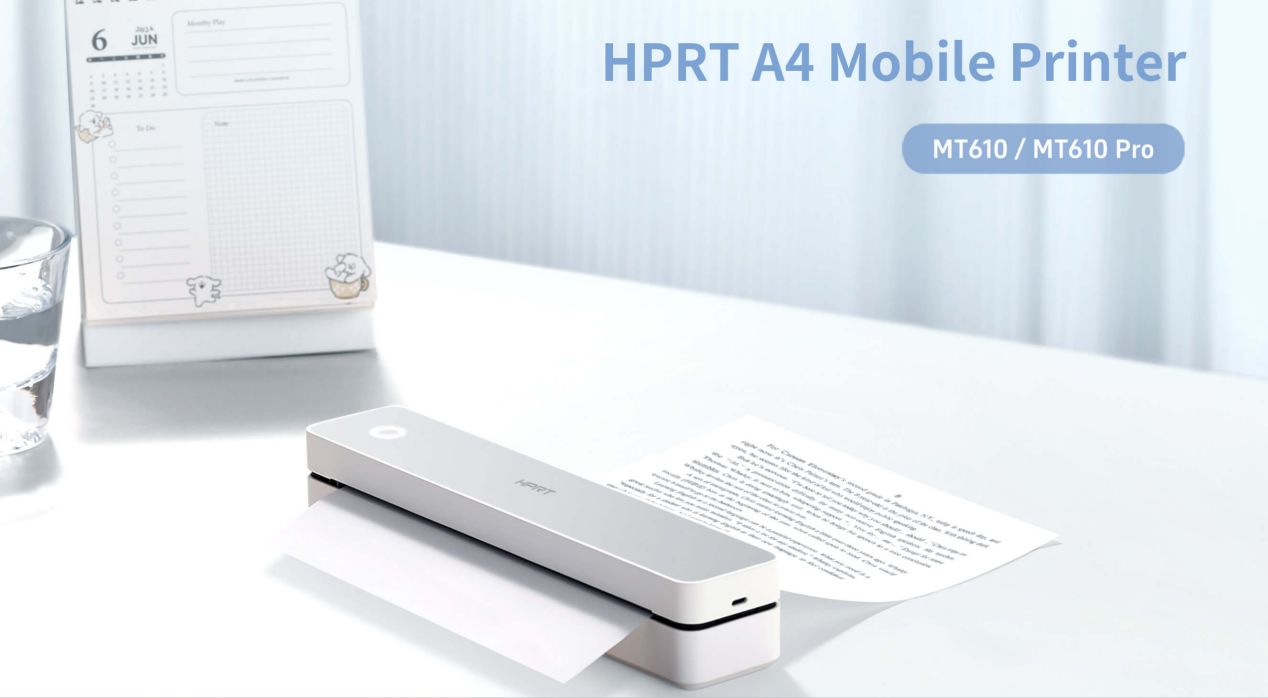
✅️ Lightweight design: About 500 g, with 203 or 300 DPI thermal printing and no ink or toner
✅️ Paper support: Supports paper widths from 100 to 216 mm, covering sizes from A5 to US Letter
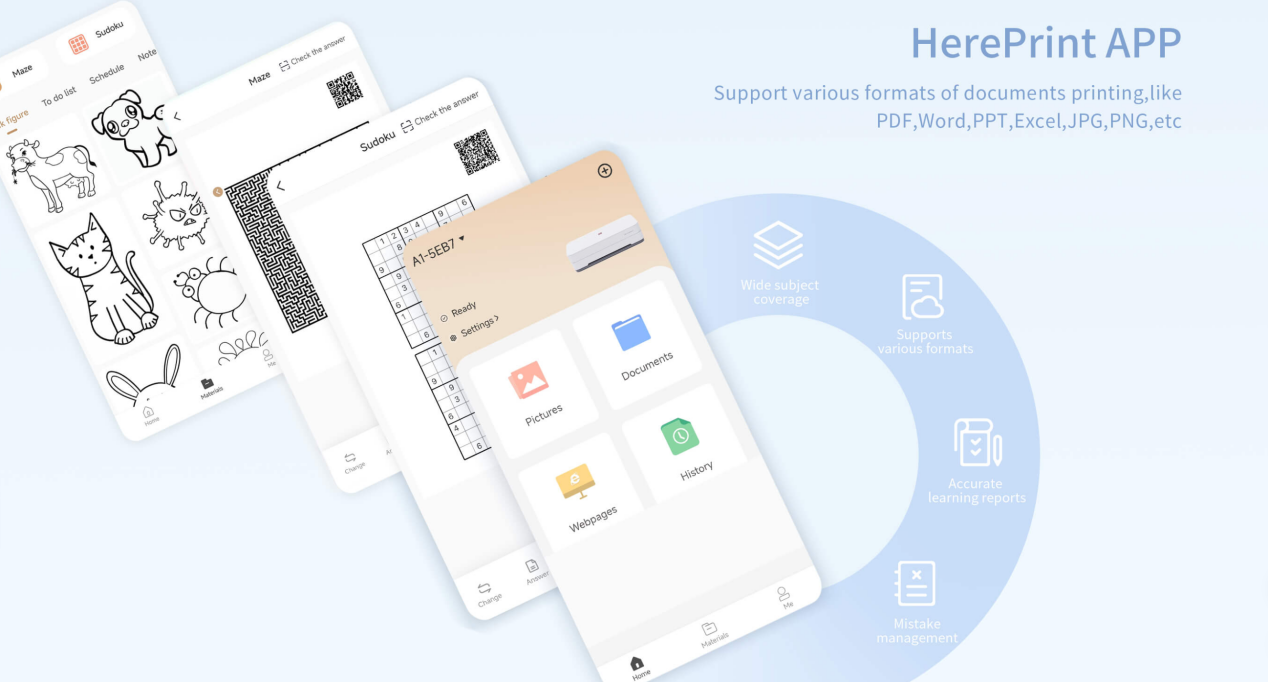
✅️ Study features: The HerePrint app lets students capture questions from photos, organize them, and create custom practice sheets for review
✅️ Mobile use: Supports multi-user Bluetooth connection and automatic paper feeding for simple, convenient operation
✅️ Best for: Wrong-answer organization, study notes, temporary documents, and lightweight mobile office printing
👉 A4 Portable Thermal Transfer Printer
Best for users who need mobile printing on regular A4 or US Letter paper without ink cartridge. Well suited to contracts, legal documents, field paperwork, on-site forms, delivery notes, and other business documents that need longer retention.
Recommended A4 Portable Thermal Transfer Printer for Mobile Business Printing: Hanin MT800
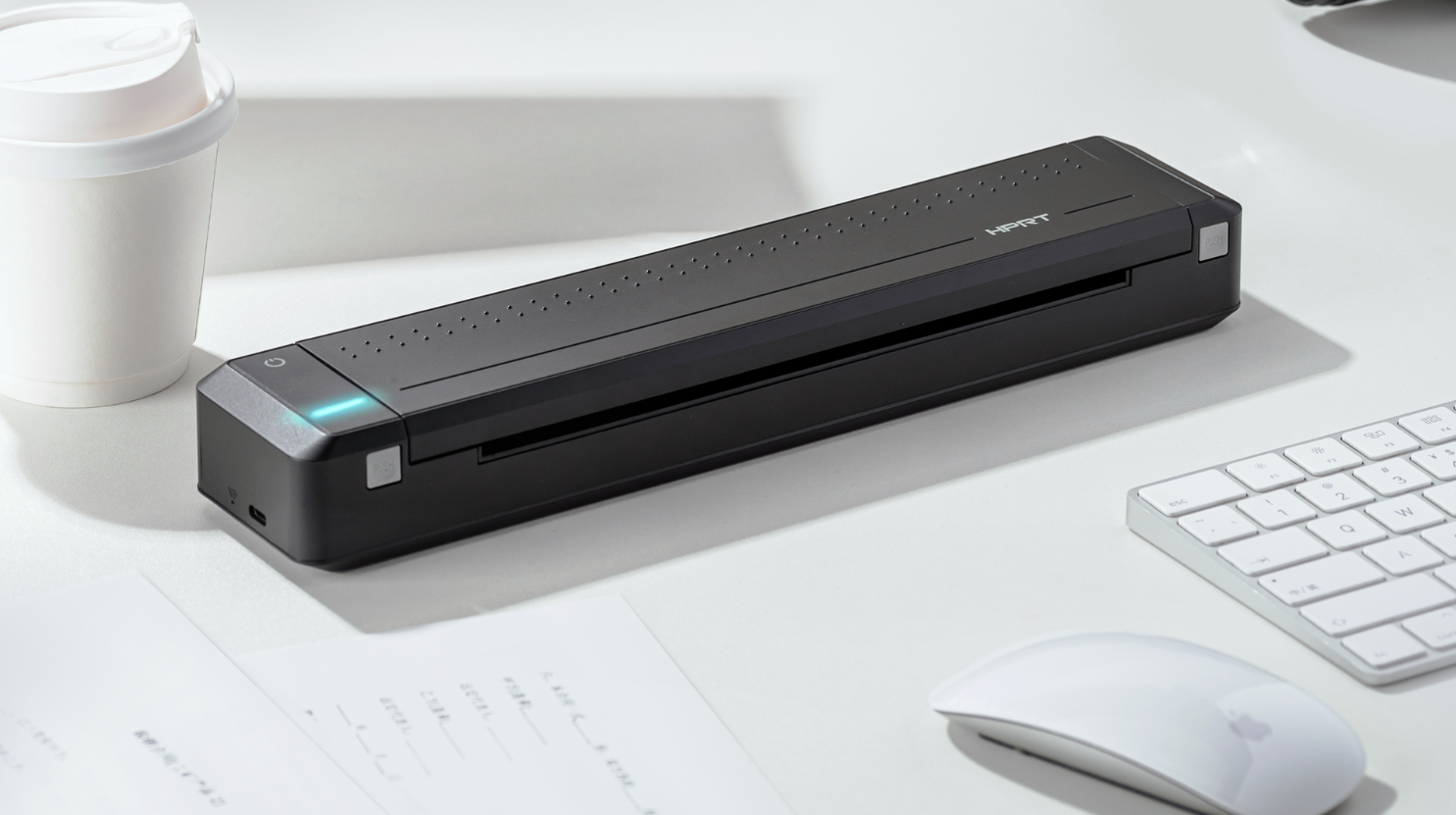
✅️ Portable: 766 g, 2000 mAh battery, about 70 pages per charge, and up to 26 hours of standby time
✅️ Connectivity: USB Type-C and Bluetooth 4.0
✅️ Mobile printing: HerePrint app with contract templates and support for web page, text, PDF, and image printing
✅️ Best for: Business travel, on-site contract signing, legal interview records, administrative enforcement documents, outdoor survey drawings, and other situations that require regular paper and longer document retention

👉 Portable Inkjet Printer
A portable inkjet printer is better suited to color printing. However, it is usually heavier, requires ink cartridges, with a risk of ink leakage.
Portable A4 printers make full-page document printing possible beyond a fixed office environment.
When comparing direct thermal, thermal-transfer, and other portable printing technologies, focus on the paper type, connection method, and how long the printed document needs to remain readable.
Hanin offers portable A4 printer models such as the MT800 and MT610 / MT610 Pro, covering business travel, field work, study organization, and other mobile printing needs. Wherever printing is required, the right portable printer can make mobile document printing simpler and more reliable.