
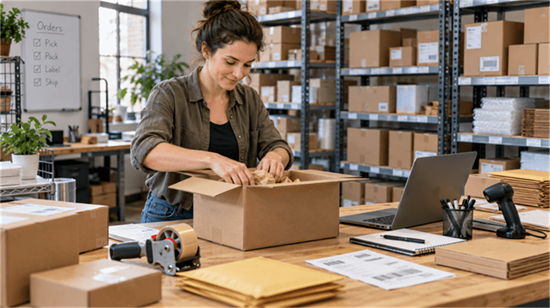
The best label printer for a small business depends on what you print and how you work. A home-based ecommerce seller printing 4×6 shipping labels has different needs from a café printing price tags or a small manufacturer producing durable barcode labels.
In this article, we compare five label printers from Hanin's brand portfolio, including models from Hanin, HPRT, and iDPRT. The selection covers ecommerce shipping, retail labeling, portable printing, and inventory management, helping small businesses find a suitable printer for their everyday needs.
Best Label Printers for Small Business: Quick Picks
|
Label Printer |
Best For |
Label Format / Applications |
Print Technology |
Resolution & Max. Speed |
Connectivity |
|
Home-based ecommerce sellers and small online stores |
4×6 shipping labels; fanfold or externally fed roll labels |
Direct thermal |
203 dpi; 150 mm/s |
USB; Bluetooth on SL42BT |
|
|
Small shipping teams and office mailrooms using label rolls |
4×6 shipping labels; parcel and mailing address labels; inventory barcode labels |
Direct thermal |
203 dpi; 152 mm/s |
USB |
|
|
Boutiques, cafés, and bakeries printing price tags and food labels |
20–60 mm price tags, SKU barcodes, drink stickers, takeaway and food labels |
Direct thermal |
203/300 dpi; 75/50 mm/s |
USB; other options vary by model |
|
|
Pop-up vendors, craft sellers, and jewelry shops labeling on the move |
Small price tags, jewelry tags, barcode labels, and shelf labels |
Direct thermal |
300 dpi; 40 mm/s |
Bluetooth |
|
|
Small manufacturers, product brands, and warehouse teams needing durable labels |
4-inch-class product, inventory, and barcode labels |
Thermal transfer / Direct thermal |
203/300 dpi; 152.4/127 mm/s |
USB, Ethernet; optional Wi-Fi/Bluetooth |
The best fit starts with your label size, printing workflow, and durability requirements. Check the exact model configuration, compatible label media, and software support before buying.
Best Shipping Label Printers for Small Businesses: HPRT SL42 & SL41
If your business regularly ships online orders, a dedicated 4×6 shipping label printer is usually the most practical choice. Direct thermal printing produces addresses and barcodes on compatible adhesive labels without ink or toner. You can print a label and apply it directly to a package instead of cutting and taping regular paper.
The HPRT SL42 and SL41 both support standard 4×6 shipping labels, but their paper-handling designs suit different workstations.
1. HPRT SL42 — 4×6 Shipping Label Printer for Ecommerce Sellers
The HPRT SL42 is a a compact, high-speed 4x6 direct thermal shipping label printer for ecommerce sellers who print from a PC at home or in small packing stations.
With 203 dpi resolution and speeds up to 150 mm/s, the SL42 produces clear addresses and scannable barcodes on rear-fed fanfold labels or external rolls (optional roll holder required).
It can print shipping labels generated through Amazon, Shopify, eBay, FedEx, DHL, UPS, and USPS workflows (compatible label files, printer drivers, and print settings required), along with product labels, logo stickers, and QR code labels for everyday packing and shipping.
Automatic label positioning and rear auto-feeding help reduce manual adjustments, while Error Reprint helps you recover from interrupted jobs with less downtime.
This USB shipping label printer is easy to set up and use. If you prefer to print from a phone or tablet, choose the SL42BT Bluetooth model.
Best for: Home-based ecommerce sellers, Amazon FBA/FBM operations, Shopify stores, and eBay sellers printing standard 4x 6 shipping labels regularly.
Keep in mind: The standard SL42 connects via USB, and external label supplies need additional space behind the printer.
2. HPRT SL41 — 4 Inch Direct Thermal Shipping Label Printer with Built-in Roll Compartment
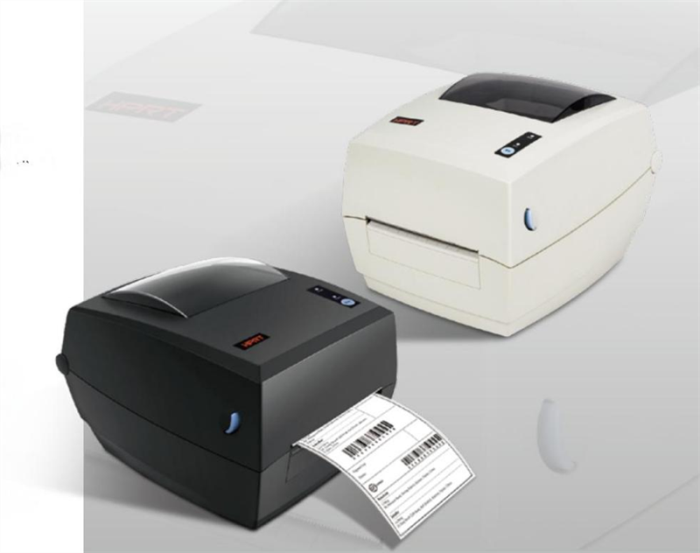
Printing with label rolls? The HPRT SL41 is a cost-effective 4-inch direct thermal printer with a built-in roll compartment that keeps labels neatly stored and makes loading easy.
It generates standard 4×6 shipping labels, address labels for parcels and mailers, and inventory barcode labels on 50–118 mm-wide media—ideal for small-business packing desks, office mailrooms, and shipping counters.
With print speeds up to 6 ips (152 mm/s), the SL41 handles everyday shipping and address label printing. Its built-in roll compartment keeps label supplies organized, while low-noise operation makes it suitable for shared workspaces and office shipping counters.
The SL41 features a printhead with a protective coating designed for regular, extended printing. Gap and black-mark sensors help maintain proper label positioning for neat, consistent results.
Best for: Small retail shipping counters, online sellers, and office dispatch areas that mainly use roll labels, want a tidy self-contained shipping workstation, and prefer a cost-effective printer.
Keep in mind: The SL41 supports media widths from 50 to 118 mm, so check the dimensions of smaller labels before purchasing. It is particularly convenient for internal roll storage, although external label feeding is also supported.
3. SL42 or SL41: Which should you choose?
Both the SL42 and SL41 support standard 4×6 shipping labels, but their designs suit different packing setups.
Choose the SL42 if you prefer a compact printer with externally fed fanfold labels or rolls. Choose the SL41 if you mainly use label rolls and want a built-in compartment to keep your packing station organized. The SL41 also supports external media feeding when needed.
If you want to print from a smartphone or tablet, consider the Bluetooth-enabled SL42BT. Check device and app compatibility before purchasing.
Best Compact Thermal Label Printer for Retail Price Tags and Food Labels: HPRT D25 Series
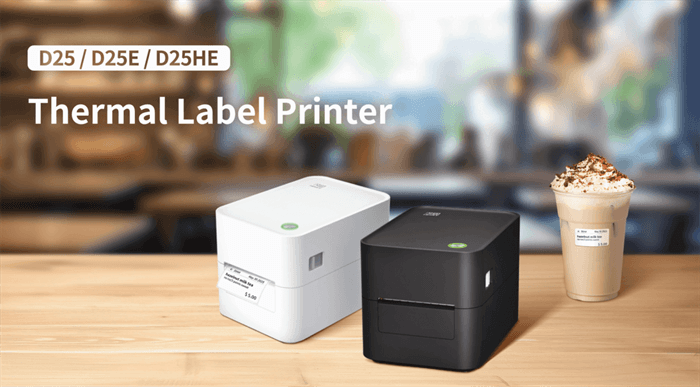
Small retailers and food businesses often need to print different types of labels. The HPRT D25 Series is a compact, versatile price label printer that fits neatly on crowded counters in boutiques, cafés, bakeries, convenience stores, and home-based businesses.
Supporting media widths from 20 to 60 mm, the D25 prints clear SKU barcodes, price tags, clothing price labels, cup stickers, and takeaway labels —all from one device.
Plus, it supports dual-mode label and receipt printing. A bakery, for example, can print bread and food labels ahead of time, then switch to receipts at checkout—saving space and the cost of a separate printer.
The D25 Series offers two resolution options to match different needs:
• D25E Series — 203 dpi: Ideal for everyday price tags, SKU barcodes, and beverage labels, with print speeds up to 75 mm/s in label mode.
• D25HE Series — 300 dpi: Produces finer details for small text, compact product information, and dense QR codes, with label printing speeds up to 50 mm/s.
Depending on the model, USB, Ethernet, Wi-Fi, and Bluetooth connectivity options are available to suit different counter setups and printing workflows.
Best for: Boutiques, convenience stores, cafés, bakeries, beverage shops, and other small businesses printing small labels at a fixed counter.
Keep in mind: The D25 Series uses a manual tear-off bar. If you need higher-volume label printing or automatic label peeling, consider the iDPRT iF2, which supports an optional peeler module.
For a closer look at its applications, see our HPRT D25 Series guide.
Best Portable Bluetooth Label Maker for Small Shops: Hanin HM-T260
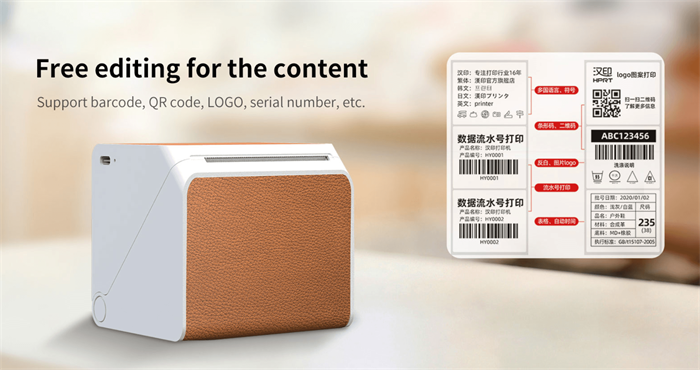
Need to print labels on the go? The Hanin HM-T260 portable label printer is a compact, battery-powered Bluetooth label maker that delivers high-resolution printing for flexible, on-the-spot labeling—no desk required.
Simply connect it to your iOS/Android smartphone or tablet via Bluetooth and use the HereLabel app to design and print crisp 300 dpi custom price tags, barcode and QR code labels, jewelry tags, and shelf labels. Ready-made templates for retail, food, and jewelry businesses make label design quick and easy, even without a computer.
Its rechargeable battery makes it handy for labeling products as you go, whether you're updating prices in a shop or selling handmade goods at a weekend market.
Best for: Craft sellers, jewelry shops, pop-up stores, market vendors, and small retailers needing occasional labels on the move.
Keep in mind: The Hanin HM-T260 is a monochrome thermal printer and cannot print full-color graphics. For more eye-catching labels, try Hanin's colored label rolls, available in various styles for food ingredients, expiration dates, and small accessory price tags.
Best Thermal Transfer Label Printer for Product and Inventory Labels: iDPRT iF4
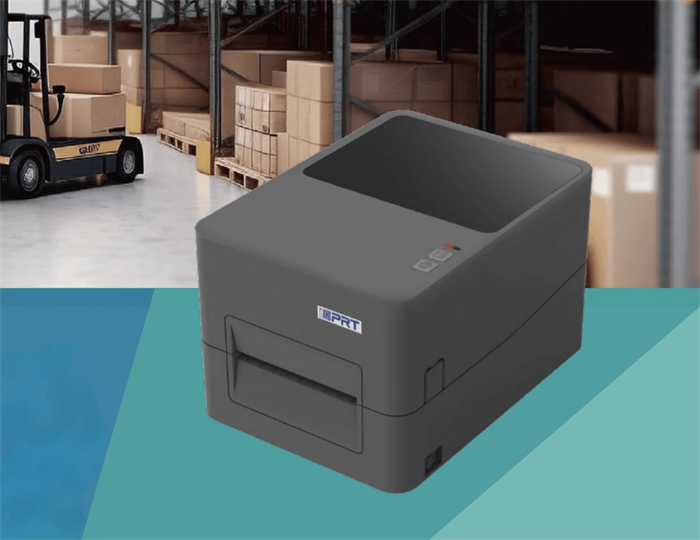
Need product labels that last longer? The iDPRT iF4 is a 4-inch desktop thermal transfer label printer for small cosmetics brands, manufacturers, and warehouses.
It supports wax, wax/resin, and resin ribbons and can produce waterproof and abrasion-resistant PP, PET and other synthetic labels for skincare bottles, cosmetic jars, product packaging, and inventory tracking.
The iF4 offers 203 dpi for everyday barcodes and 300 dpi for finer details such as ingredient lists, batch numbers, and QR codes. Multiple sensors ensure accurate label positioning, detect media or ribbon issues, and keep batch printing running smoothly.
With support for ZPL II, TSPL, DPL, and EPL barcode printer languages, plus standard USB and Ethernet and optional Wi-Fi or Bluetooth, it fits a range of business labeling workflows.
Best for: Small manufacturers, warehouse operators, product makers, and businesses requiring longer-lasting barcode and inventory labels.
Keep in mind: Water and abrasion resistance depend on the label and ribbon combination. Transparent PP/PET labels also require compatible liners and reliable sensor detection.
How to Choose the Right Label Printer for Your Small Business
The right label printer mainly depends on label size, print durability, connectivity, and ongoing costs—not just speed or resolution.
1. What Label Sizes Do You Need?
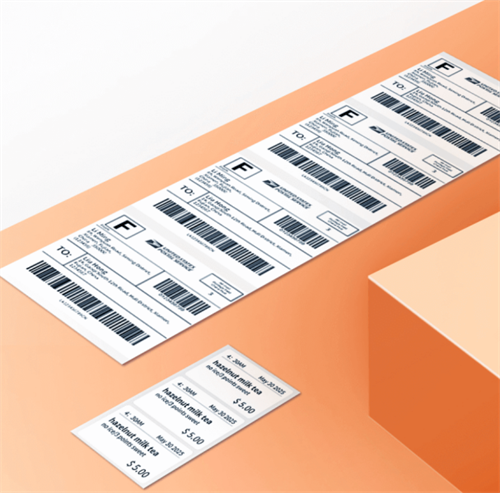
For standard 4×6 shipping labels, choose a 4-inch label printer such as the HPRT SL41 or SL42. Smaller price tags and SKU labels are better suited to compact models like the HPRT D25 Series or HM-T260.
Always check both supported media width and maximum printable width, especially for labels with barcodes or small text near the edges.
2. Direct Thermal or Thermal Transfer: Which Is Better?
Direct thermal printing is ideal for short-term shipping labels, price tags, and everyday retail labels. It requires no ink, toner, or ribbon.
Thermal transfer is better for longer-lasting product and inventory labels, especially when paired with suitable synthetic materials and ribbons. If labels must withstand moisture, abrasion, or frequent handling, consider a thermal transfer printer such as the iDPRT iF4.
3. Do You Need USB or Wireless Printing?
USB works well for fixed packing stations and checkout counters. Bluetooth or Wi-Fi offers more flexibility for mobile printing, while Ethernet can support shared network setups.
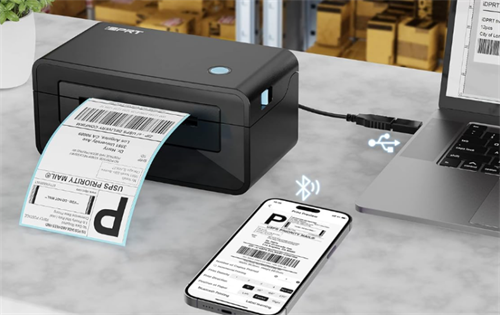
Check the printer's specific connectivity options, operating system support, drivers, and compatibility with your labeling software or ecommerce platform before buying.
4. What Affects the Running Cost of a Label Printer?
Compare the total cost per label, not just the printer's price. Factor in label supplies, ribbons (for thermal transfer), monthly print volume, and maintenance.
For occasional printing, a regular inkjet or laser printer may be enough. If you frequently print shipping labels, retail tags, or barcode labels, a dedicated thermal printer may offer a more efficient workflow.
Keep in mind: These thermal printers produce monochrome labels. For full-color branding stickers or decorative packaging, consider a printing technology that supports color.
Label Printing Solutions from Hanin, HPRT, and iDPRT

Hanin offers label printing solutions for different small-business needs through its own brand and its HPRT and iDPRT brands.
HPRT's shipping and retail label printers support everyday tasks such as order fulfillment, price labeling, and food labeling. The Hanin HM-T260 provides a portable option for small retailers and sellers who need to print labels on the move, while iDPRT's thermal transfer printers are suited to product identification, inventory tracking, and applications requiring more durable labels.
Behind these products is Hanin's experience in printing technology, supported by over 400 R&D professionals, more than 800 granted patents, and extensive manufacturing capabilities.
Explore the printers featured above to find the right fit for your business. For bulk orders, distribution partnerships, or customized printing solutions, contact the Hanin team to discuss your requirements.