
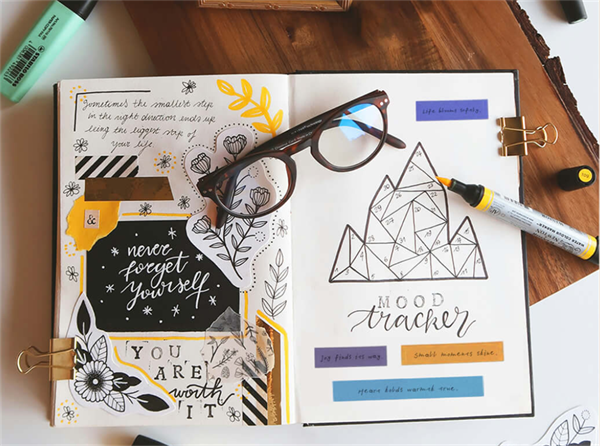
Want to make your own stickers, decorate your journal, or organize your home? A mini sticker printer makes it easy to turn digital designs into practical labels and creative stickers. Unlike conventional inkjet printers, these compact devices don't require ink cartridges or the printhead maintenance associated with inkjet printing.
Hanin offers three portable printers for different printing needs:
✔️ New 1: A monochrome thermal sticker printer for home organization labels, name stickers, memo stickers, and transparent labels. Compatible with various label colors, patterns, and styles.
✔️ ZP100: A ZINK color sticker printer for colorful journaling strips, cartoon decorations, and sealing stickers, with adjustable-length cutting for flexible designs.
✔️ MT53: A ZINK photo sticker printer for 2 x 3-inch adhesive-backed photo prints, selfies, photo collages, and AR photo experiences.
All three connect to smartphones and print without ink cartridges. Simply choose the model that fits your needs and use compatible label rolls or photo paper for your projects.
1. Hanin New 1: Mini Thermal Sticker & Label Printer for Home Organization
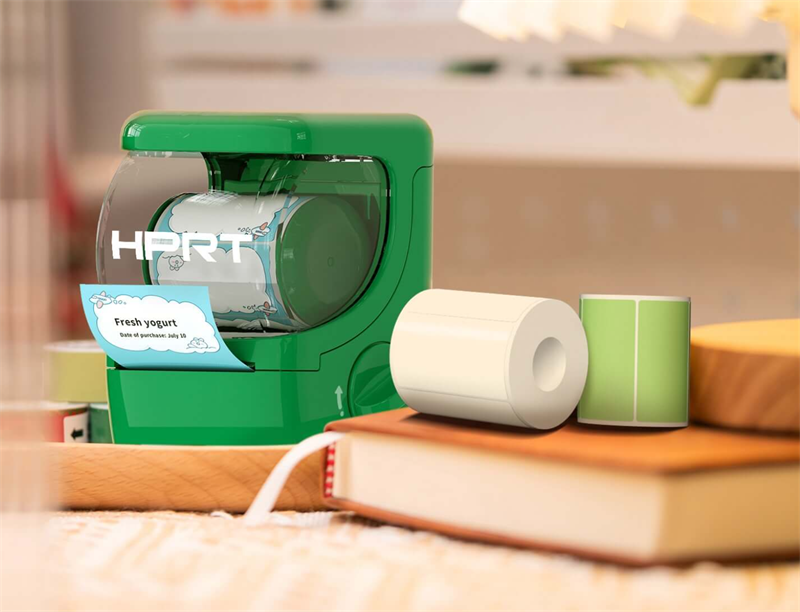
Key Specifications
- Weight: Approx. 224g
- Resolution: 203 dpi
- Label Width: 25–50 mm
- Connectivity: Bluetooth
- Printing Technology: Direct Thermal (Inkless)
- Compatibility: Android / iOS
The Hanin New 1 is a compact, 2-inch inkless label maker that makes everyday sticker printing simple and fun. Its biggest appeal is the convenient print-and-stick experience: with just a few taps in the free companion app, you can create black-and-white adhesive stickers featuring text, icons, and other graphics directly from your smartphone.
This mini thermal sticker printer supports multiple label widths ranging from 25 to 50 mm and is ideal for small identifiers, date labels, notes, and other everyday prints.
It also comes with several smart features. RFID-based media recognition identifies compatible label rolls and automatically matches them with the appropriate templates. Automatic label positioning and media backfeeding help reduce blank space and unnecessary label waste, especially when printing small stickers.
Best Applications: Home Organization, School Supplies & Journaling
The New 1 Bluetooth label maker is a practical choice for home, study, and everyday organization. Here are a few ways to put it to use:
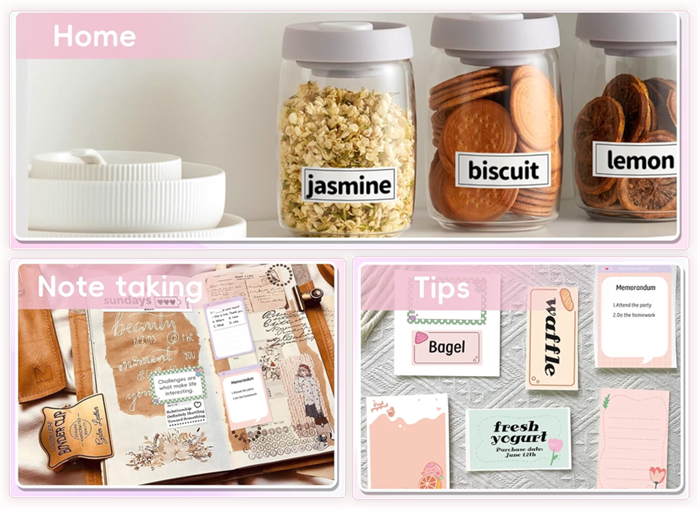
• Home Organization: Label storage jars, toy boxes, kitchen containers, and household supplies to keep everything easy to identify.
• Personal Care: Print expiration-date labels for cosmetics, skincare products, and other personal care items.
• School Supplies: Create personalized name stickers for students' books, stationery, school supplies, and personal belongings.
• Journaling: Print to-do lists, weekly and daily planners, simple illustrations, and photo-to-line-art designs to add useful and creative details to your journal.
Bonus Feature: Colorful & Transparent Thermal Stickers
A monochrome thermal printer doesn't mean your stickers have to look plain. Hanin offers a wide range of compatible thermal sticker rolls in various colors, patterns, and styles — including transparent options.
You can create custom adhesive labels in different shapes, such as round and scalloped circular stickers. Selected premium materials resist water, oil, scratches, and abrasion. They are practical for everyday labeling and organization.
2. Hanin ZP100: Portable Color Sticker Printer for Journaling & DIY Crafts
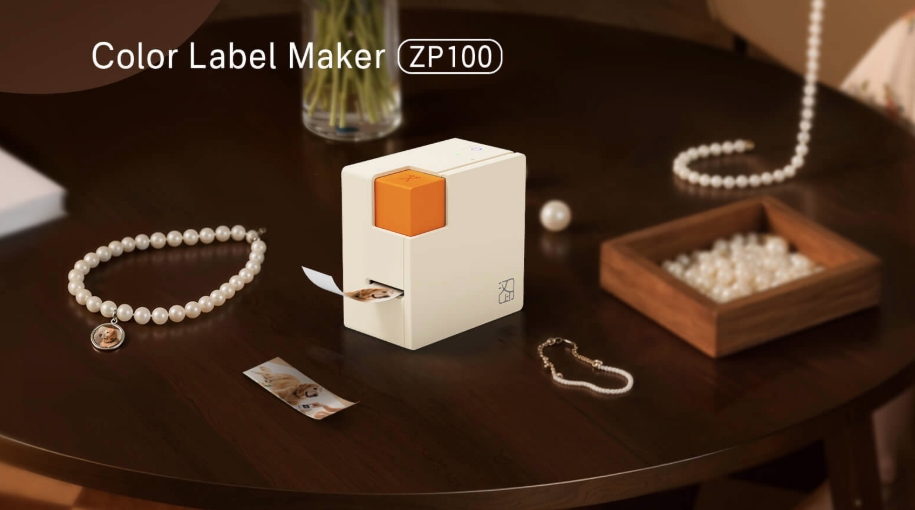
Key Specifications
- Weight: Approx. 210g
- Resolution: 260 dpi
- Media: 15 mm-wide continuous label roll
- Adjustable Cutting Length: 25–200 mm
- Connectivity: Bluetooth
- Printing Technology: ZINK® (Zero Ink)
- Compatibility: Android / iOS
If colorful stickers are more your style, the Hanin ZP100 is worth a look.
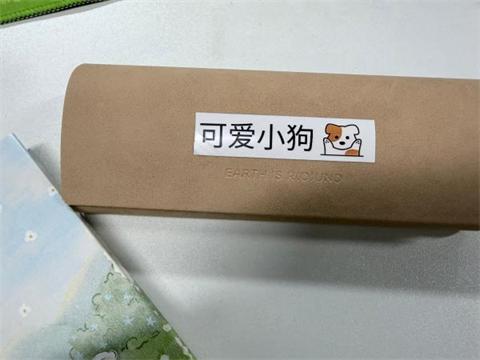
This portable color label maker uses ZINK technology to produce colorful graphics without ink cartridges or ribbons. Simply design your sticker in the HerePrint app, choose from its collection of cartoon graphics, decorative elements, and border templates, and send your creation straight from your smartphone to the printer.
One of the ZP100's standout features is its continuous label format. It prints on a 15 mm-wide strip and comes with a built-in safety cutter. You can adjust the cutting length from 25 to 200 mm, so you're free to create longer or shorter stickers depending on your design.
No need to squeeze every idea into a fixed-size label. A little more creative freedom goes a long way!
Best Applications: Journaling, Decorative Stickers & DIY Crafts
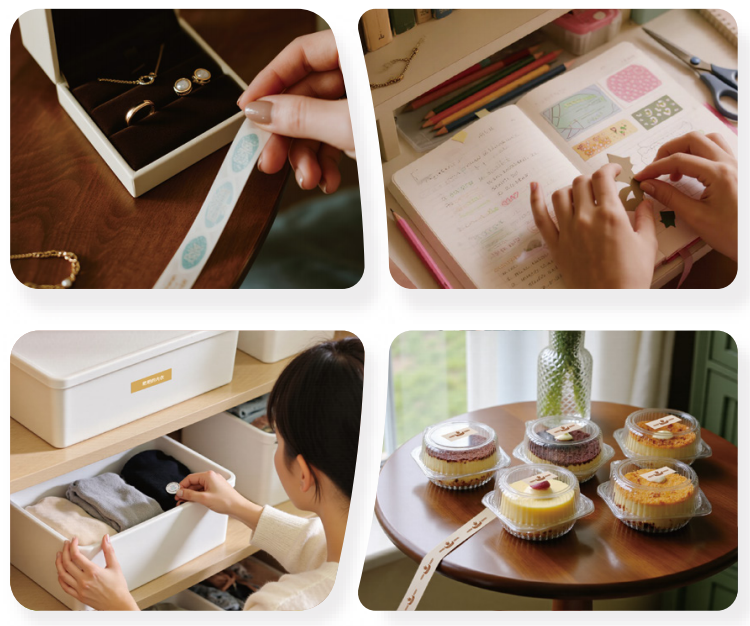
The ZP100 is especially useful for colorful designs in a narrow, elongated format.
• Journal Decorations: Create colorful sticker strips, decorative headings, cartoon borders, and personalized journal accents.
• DIY Crafts: Make custom sealing stickers for handmade gifts, envelopes, and creative packaging.
• Colorful Item Labels: Add playful labels to stationery, personal belongings, storage containers, and other everyday items.
• Creative Designs: Print personalized mini logos, illustrations, and decorative graphics to give your projects a unique touch.
Important: The ZP100 is designed primarily for narrow, continuous color labels. Its 15 mm print width isn't suitable for printing portraits or full-size landscape photos. If photo printing is what you're after, the MT53 is the better choice.
3. Hanin MT53: Mini Photo Sticker Printer for Photos & Scrapbooking
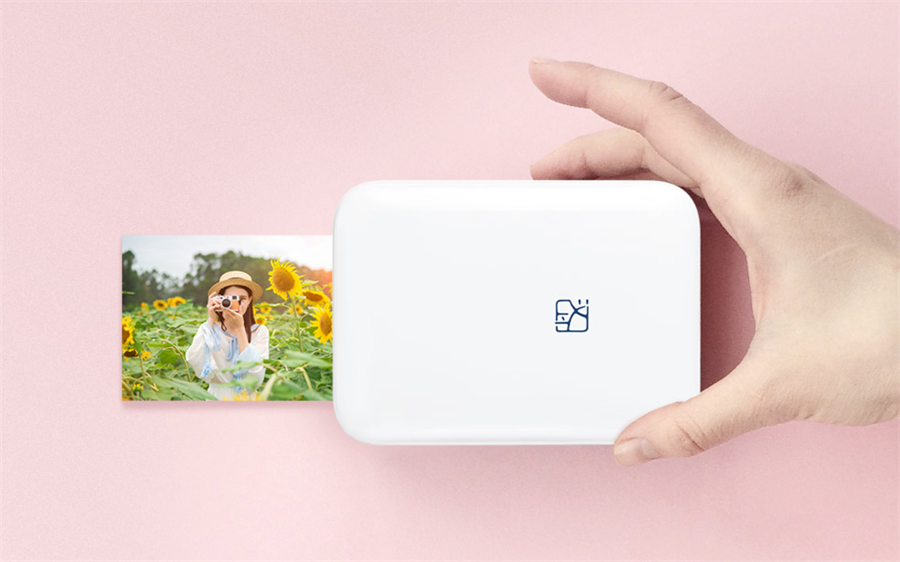
Key Specifications
- Weight: Approx. 150g
- Resolution: 300 dpi
- Photo Size: 2 × 3 inches
- Connectivity: Bluetooth
- Printing Technology: ZINK®
- Media: Adhesive-backed ZINK photo paper
- Compatibility: Android / iOS
Looking for a mini photo sticker printer that can turn smartphone pictures into something you can actually hold, share, and stick anywhere? Meet the Hanin MT53.
Weighing just 150g, this ultra-lightweight ZINK photo printer slips easily into a handbag or backpack. It's a handy companion for travel, parties, journaling, and everyday moments you want to keep.
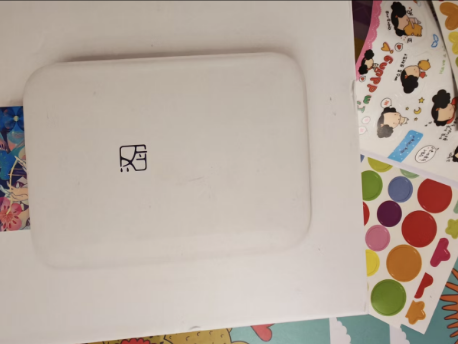
The MT53 uses ZINK inkless printing technology and adhesive-backed photo paper. Simply choose a picture on your smartphone, make a few edits, and hit print. In approximately 45 seconds, you'll have a 2 × 3-inch physical photo with a self-adhesive backing. Peel it off and stick it wherever you like—no extra glue needed.
ZINK prints also have a distinctive, slightly warm and nostalgic look that works beautifully with retro-style journals, photo collages, and memory albums. The dedicated HeyPhoto app adds several creative tools to make your projects more fun:
✅️ Photo Collages: Combine multiple photos into one layout and adjust each size freely—ideal for journals or personalized instant-photo albums.
✅️ Frames and Filters: Choose from a variety of decorative frames, stickers, and filters to refresh your photos.
✅️ AR Dynamic Photos: Scan a printed photo with your phone to play its linked short video. Perfect for interactive party keepsakes and custom K-pop photocards.
Best Applications: Photo Journaling, Scrapbooking & DIY Decorations
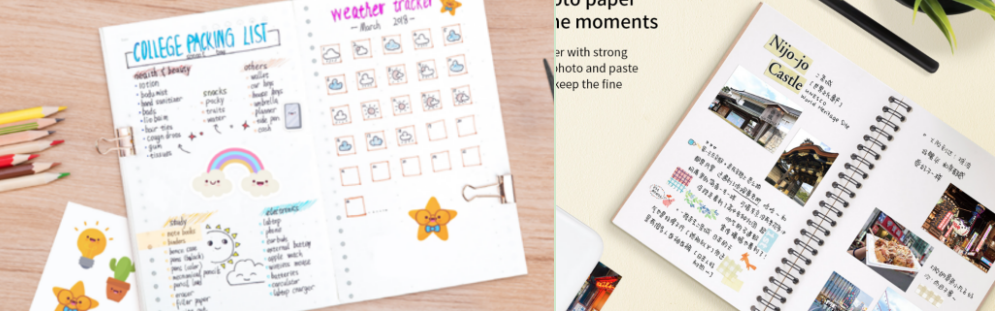
The MT53 is a great fit for anyone who loves turning digital memories into physical photo stickers.
• Photo Journaling: Create photo collages for travel diaries, daily journals, and scrapbook layouts.
• Instant-Photo Albums: Print and arrange your favorite pictures in photo albums and memory books.
• Personalized Accessories: Decorate phone cases, luggage, and skateboards with your own photo stickers.
• Home Decoration: Create a family photo wall or add personal touches to your bedroom or dorm room desk.
• Personalized Gifts: Make photo keepsakes, party souvenirs, and custom fan-made photocards.
Note: ZINK prints fade faster when exposed to prolonged direct sunlight or damp conditions. For longer-lasting photos, we recommend the Hanin CP2100 portable dye-sublimation photo printer.
4. Real Customer Feedback from E-commerce Platforms
Specs tell you the features—real reviews from Amazon and other major platforms show how these printers perform in daily life.
Hanin New 1 Label Printer
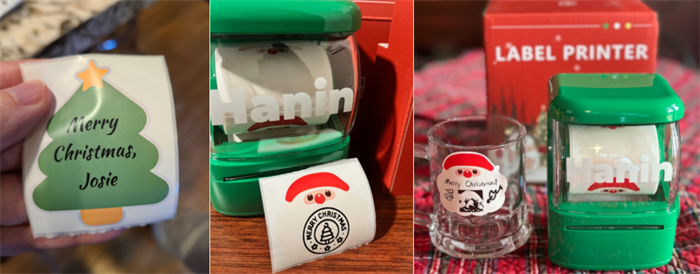
Customer Review 1
"Such a life saver! With 14 grandkids its ALOT to write out gift tags, this product made it seem easy easy lol."
Customer Review 2
"Cutest label maker! It prints so quickly I have to check to ensure everything printed! Bluetooth capable with 4 rolls of tape. The app is easy to install and use. It's benefits are endless! It saves a history so you don't have to remake labels! A wonderful value."
Customer Review 3
"I'm impressed by how well this little printer works! The app connects automatically and recognizes the installed label roll. It offers plenty of easy-to-customize templates, and I especially love the QR code creator. Labels print almost instantly, with an option to print multiple copies at once. The labels are durable, stick securely, and peel off without leaving residue. I've already found so many uses for this little machine!"
Hanin ZP100 Color Label Maker
Customer Review 1
"Really happy with this color label maker! The colors come out bright and clear, and the app is super easy to use. Perfect for organizing my craft supplies and making pretty labels for gifts."
Customer Review 2
"Prints fast and the labels stick really well. Love that it can do colorful designs—makes my pantry and storage boxes look so much nicer. Highly recommend!"
Hanin MT53 Pocket Photo Printer
Customer Review 1
"I bought it to make a growth keepsake album. It works well, and printing is smooth."
Customer Review 2
"The paper comes out quickly, which is very convenient."
5. Mini Sticker Printer FAQs
Q1: Are Mini Sticker Printers Worth It? Do You Really Need One at Home?
No, mini sticker printers are not a waste of money — it depends on your actual needs. If you mainly need to print large A4 documents, a traditional inkjet printer (such as HP or Canon) is still the better choice.However, if your priority is a maintenance-free, portable, and clog-free printer for everyday organization or creative projects, a mini sticker printer is highly practical. The three Hanin models each serve different purposes:
- Hanin New 1: Ideal for home organization labels, name stickers, and transparent labels.
- Hanin ZP100: Best for colorful decorative strips, cartoon stickers, and custom-length labels.
- Hanin MT53: Designed for photo stickers, selfies, and scrapbook collages.
Their biggest advantage is the instant peel-and-stick experience, which traditional bulky printers simply cannot match.
Q2: How Do You Use a Mini Sticker Printer for Journaling? What If the App Doesn't Have the Designs You Want?
Using a mini sticker printer is easy. Connect it to your phone via Bluetooth, then open the companion app (HerePrint for New 1 & ZP100, or HeyPhoto for MT53).
The apps come with a wide range of built-in templates. If you can't find the exact design you want — such as pictures of snacks, idol photos, or specific cartoon characters — simply use your own images:
1. Save the image to your phone's photo library.
2. Open the app and use the Image Import function.
3. Adjust the size, layout, and details.
4. Print directly.
This allows you to create fully customized stickers for journaling, scrapbooking, or DIY projects without relying solely on the app's pre-loaded materials.
Q3: How Do You Choose the Best Mini Sticker Printer for Journaling?
Start with the type of stickers you want to create. Each model has a different output format, so the right choice depends on your creative style.
- Choose the New 1 if you mainly need monochrome text labels, transparent stickers, name labels, and practical journal notes.
- Choose the ZP100 if you want colorful decorative strips, cartoon graphics, and adjustable-length stickers.
- Choose the MT53 if you want to print portraits, selfies, photo collages, and retro-style photo stickers.
6. About Hanin: More Than Just Mini Sticker Printers
The New 1, ZP100, and MT53 are part of Hanin's portable printing lineup, designed for home users, students, and creative DIY enthusiasts.
As a high-tech company with years of experience in the printing industry, Hanin has built a complete product portfolio covering home organization, education, creative DIY, and commercial labeling.
From labels and stickers to photos and documents, Hanin focuses on simplifying printing technology. With intuitive mobile connectivity, users can create and print directly from their smartphones—no complicated setup required.
Whether you're organizing your home, decorating a journal, tracking school activities, or capturing everyday memories, Hanin offers a practical printing solution for different needs.
Want to explore more ways to print creatively? Discover the full range of Hanin printers and compatible supplies, and bring more ideas to life—one print at a time.