
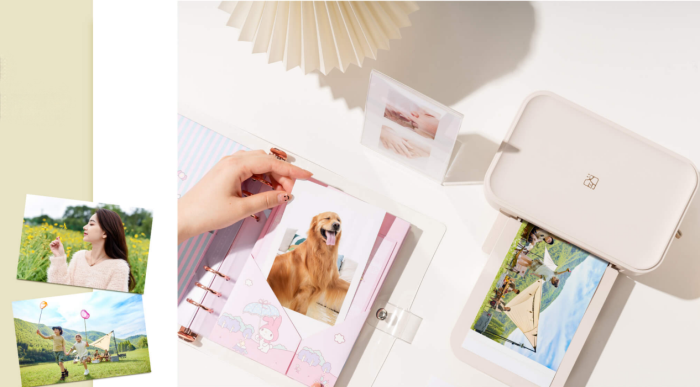
Have you ever wondered whether you can use third-party photo paper instead of the original paper recommended by your printer manufacturer? It's a common question, especially when replacement paper and ink or ribbon kits start adding up.
The short answer is: Yes, but it depends on your printer's technology and model. Inkjet printers generally offer more flexibility and can work with compatible third-party photo paper. Dye-sublimation photo printers require specially matched paper and ribbon sets, while ZINK printers need ZINK paper designed for the specific model.
Choosing the wrong paper can lead to poor color reproduction, streaks, paper jams, and wasted supplies. In some cases, forcing incompatible media through the printer may even damage internal components.
So, how do you know which photo paper is safe to use? Let's look at how different printing technologies work and what to check before buying.
Why Are Photo Printers So Particular About Photo Paper?
Photo paper is not the same as ordinary printing paper. Depending on the printing technology, it may be a specially designed consumable that works with a ribbon or contains the materials needed to produce an image.
1. Why Do Dye-Sublimation Printers Need Matching Paper and Ribbon?
Dye-sublimation printing is widely used in portable photo printers, including Hanin's CP series.
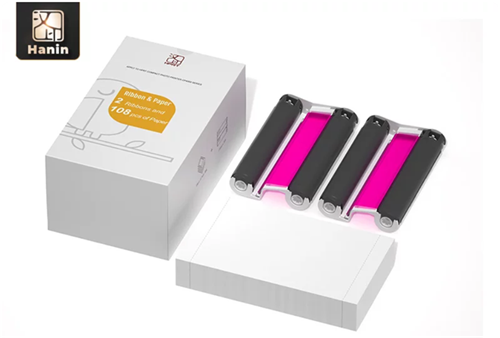
The technology works by heating the dye on a ribbon, causing it to vaporize and penetrate the coating on the photo paper. The coating thickness, dye absorption rate, and surface smoothness are all calibrated to match the dye formulation of the original ribbon.
This is not simply a matter of brand preference. It is determined by the printing process itself.
Using incompatible third-party consumables may cause problems ranging from visible streaks to residual dye contaminating the thermal print head. Some manufacturers also state in their service documentation that damage to the thermal print head caused by incompatible consumables is not covered by warranty.
For the best results, use the paper and ribbon set designed for your specific printer model.
2. Is Third-Party Paper Suitable for ZINK Printers?
ZINK stands for Zero Ink. This technology uses three layers of color-forming crystals—cyan, magenta, and yellow—embedded in the photo paper. Heat activates the crystals at different temperatures to produce the final image.
This means the photo paper itself functions like an ink cartridge. To learn more about how this technology works, read our complete guide to ZINK printers.
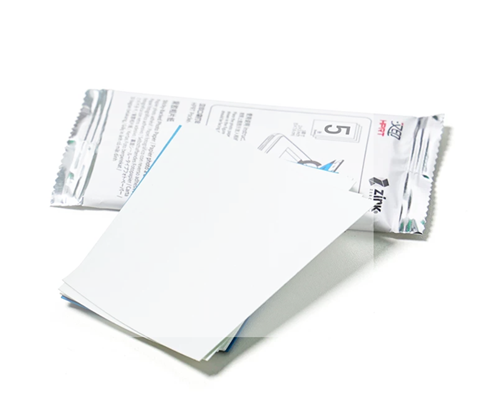
Third-party paper may not have the precise material formulation required to trigger the color-forming process correctly. For this reason, third-party consumables are generally not recommended for mainstream ZINK portable photo printers.
3. Can You Use Third-Party Photo Paper in an Inkjet Printer?
Inkjet printers offer the greatest flexibility when it comes to photo paper.
They work by spraying tiny droplets of ink onto specially coated paper, making them less dependent on proprietary consumable combinations.
There are many third-party options available, including glossy and matte photo paper. However, print quality and photo longevity can vary significantly between products.
When choosing third-party inkjet photo paper, pay attention to its specifications. As a general recommendation, look for:
• A paper weight of 180–260 gsm.
• A clearly specified coating, such as an RC microporous coating.
• Make sure the paper also meets your printer's supported specifications.
What Happens If You Use the Wrong Photo Paper?
Using incompatible photo paper can affect both print quality and printer performance. Here are three common problems you may encounter.
1. Why Do Photo Prints Have Incorrect Colors or Look Faded?
Color shifts are among the most common problems when using third-party photo paper, especially with inkjet printers.
Although inkjet printers are relatively flexible when it comes to paper brands, paper quality still matters. If the coating's ink absorption rate does not match the ink, the ink may remain on the surface instead of being properly absorbed.
This can result in yellowish skin tones, gray-looking blue skies, and other noticeable color problems.
For dye-sublimation and ZINK printers, using paper without the correct material formulation can cause abnormal color development or severe color distortion.
With properly matched original consumables, color differences are barely noticeable to the human eye. Poor-quality alternatives, however, can produce obvious color shifts.
2. Can Incompatible Photo Paper Cause Paper Jams or Ribbon Problems?
Yes. Third-party photo paper may have greater thickness variations than original paper. This can easily cause paper jams in portable printers with compact paper-feeding mechanisms.
Dye-sublimation photo printers face another potential problem. The printing process involves high temperatures. If the photo paper coating does not match the ribbon, the ribbon may stick to the paper during printing.
Trying to pull them apart by force can tear the ribbon and may even scratch the expensive thermal print head.
3. Does Photo Paper Affect How Long Printed Photos Last?
Yes. The quality of the photo paper coating can affect how well a printed photo resists aging.
Original dye-sublimation photo prints come with a protective overcoat. When stored indoors and away from direct light, they can last for decades.
Some low-quality third-party consumables, however, have coatings with poor oxidation resistance. If prints are placed on a windowsill and exposed to indirect sunlight, noticeable fading in yellow tones and an overall gray appearance may develop in as little as a month.
If you want your printed photos to last, choosing suitable photo paper is essential.
What Should You Check Before Buying Photo Paper? 5 Things to Remember
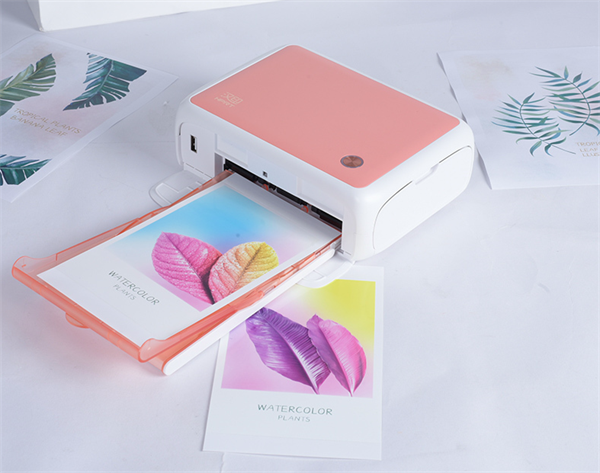
Since compatibility is so important, here are five things to check before purchasing photo paper to avoid common problems.
1. Does the Photo Paper Match Your Printer Model?
Always check the exact model number before purchasing consumables.
For example:
• Hanin CP4100: Choose the CP4100 consumable kit.
• Hanin CP2100: Choose the CP2100 consumable kit.
Do not assume that consumables designed for one model will work with another.
2. How Can You Check Whether Photo Paper Is Genuine?
Check the packaging and anti-counterfeiting information.
Original packaging should have a security seal and a traceability code. Loose sheets or products without packaging are generally compatible alternatives or near-expiry stock.
To avoid purchasing counterfeit or unsuitable products, check the packaging carefully before buying.
3. Do Dye-Sublimation Printers Need Both Paper and Ribbon?
Yes. Dye-sublimation printing requires a matching paper-and-ribbon set.
The two consumables are designed to work together. Buying photo paper separately without the corresponding ribbon will not allow you to use it properly.
Always purchase the complete consumable kit designed for your printer model.
4. Does Photo Paper Have an Expiration Date?
Yes. Photo paper has a shelf life, and its condition can deteriorate over time.
Always check the production date and shelf-life information before purchasing. Paper that has absorbed moisture may produce faded or blotchy prints.
5. How Should You Store Photo Paper?
Proper storage helps maintain photo paper quality.
Keep it away from direct light and moisture. After opening the package, use the paper within six months.
FAQs
Q1: Can You Use Third-Party Photo Paper in a Hanin CP2100 or CP4100?
It is not recommended. Both the Hanin CP2100 and CP4100 use dye-sublimation printing technology. Their photo paper and ribbons are specially designed to work together as a matched consumable set.
Hanin recommends using original consumables to ensure consistent print quality and color reproduction. Third-party paper may have coating specifications that do not match the ribbon's dye-sublimation temperature curve, potentially causing color shifts or ribbon-related problems.
Q2: Can Third-Party Photo Paper Damage the Print Head?
It does not directly burn out the print head. However, if incorrect paper thickness causes a paper jam or ribbon adhesion, pulling the paper out by force may damage the print head.
As one of the printer's core components, the print head can be expensive to repair or replace. The cost may far exceed the money saved on everyday consumables.
Q3: What Should You Do If Photo Paper Gets Damp?
If the paper is only slightly damp, placing it in a drying cabinet for 24 hours may help restore its condition.
However, if the printed photos already look faded or blotchy, discard the affected paper rather than wasting more ribbon on it.
Q4: Why Do Photo Papers for the Same Printer Model Have Different Prices?
The first thing to check is whether the product is original or compatible paper. Look at the packaging and anti-counterfeiting information. Products priced unusually low are often compatible alternatives or near-expiry stock.
To avoid purchasing unsuitable consumables, buy from official channels or authorized retailers.
Final Thoughts: Does Photo Paper Compatibility Really Matter?
Third-party photo paper may seem like a more affordable option, but choosing incompatible media can lead to poor print quality, wasted supplies, and potential damage to your printer.
The right choice depends on your printer's technology. Inkjet printers offer greater flexibility, while dye-sublimation and ZINK printers require specially designed media that matches their printing systems.
For Hanin CP2100, CP4100, and other dye-sublimation photo printers, using the recommended original paper-and-ribbon kit helps ensure consistent print quality and reliable performance.
Ultimately, choosing the right photo paper is not just about compatibility. It's about getting the best results from your printer and making every printed photo worth keeping.