
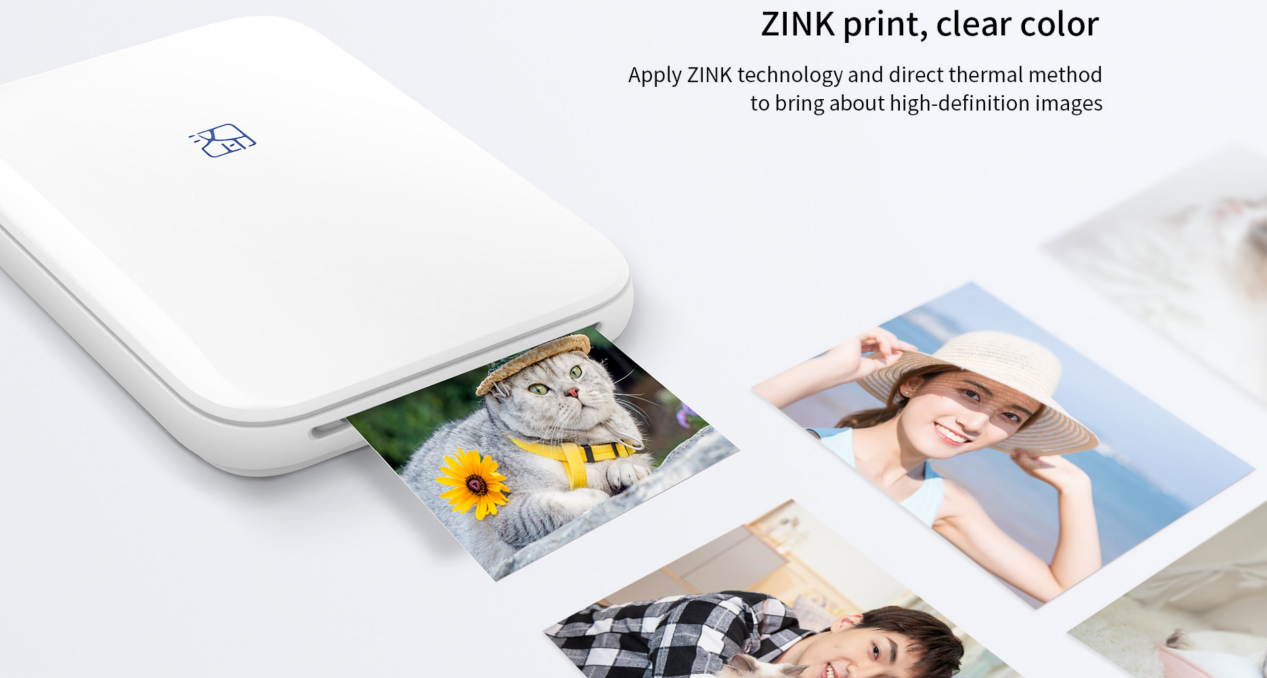
Quick Overview: A ZINK printer produces full-color photos without ink cartridges or ribbons, using special ZINK paper with embedded color-forming materials. Its compact size and peel-and-stick prints suit journaling, scrapbooking, travel diaries, and casual smartphone photo printing. The main trade-offs are small print sizes, dedicated paper costs, and print longevity that varies with light, heat, and storage.
ZINK printers are popular for portable photo printing because they keep the printer and consumables small. This guide covers how ZINK printers work, ZINK paper, print lifespan, ZINK vs. dye-sublimation, and the Hanin MT53 and ZP100 for journaling, scrapbooking, and sticker projects.
What Is a ZINK Printer and How Does It Work?
A ZINK printer is a full-color printer that uses controlled heat to create images on special ZINK paper, without a separate ink cartridge, toner, or ribbon.
ZINK stands for Zero Ink. The color-forming materials are embedded in the paper itself. A thermal printhead applies precisely controlled heat to activate these layers and produce a full-color photo in a single pass. ZINK paper typically contains heat-responsive cyan, magenta, and yellow layers that combine to create the final image.
The most common ZINK printers are 2X3 instant photo printers with Bluetooth smartphone connectivity, such as the Hanin MT53 mini photo printer. Some modern instant cameras also use ZINK technology, producing prints that are fully developed as they leave the device and using easy-to-load paper instead of conventional instant film.
So, how does a ZINK printer work?
1. A smartphone sends the photo to the photo printer.
2. The printer processes the image and translates it into controlled heat signals.
3. The thermal printhead activates the color-forming materials in the ZINK paper.
4. The finished full-color photo exits the printer.
A typical 2 x 3-inch ZINK photo takes about 40–60 seconds to print. For example, the Hanin MT56i prints one photo within 45 seconds. Actual print time varies by printer model, image processing, Bluetooth transfer speed, battery level, and operating conditions.
Does a ZINK Printer Need Ink?
No. ZINK printers do not use separate ink cartridges, toner, or dye ribbons. They still require compatible ZINK paper.
"Zero Ink," however, does not mean zero consumables. For example, the Hanin MT53 holds up to 10 sheets of ZINK paper, and each finished photo uses one sheet of media. Once the paper runs out, the printer cannot use ordinary copier paper or standard glossy inkjet photo paper as a substitute.
What Is ZINK Paper?
ZINK paper combines the photo paper and imaging medium in a single sheet.
What is ZINK paper made of? It is a multilayer photo medium with heat-responsive cyan, magenta, and yellow color-forming layers embedded in the paper. With a protective top coating, ZINK photo paper is water-resistant, tear-resistant, and smudge-resistant; many sheets also have a peel-and-stick adhesive backing.
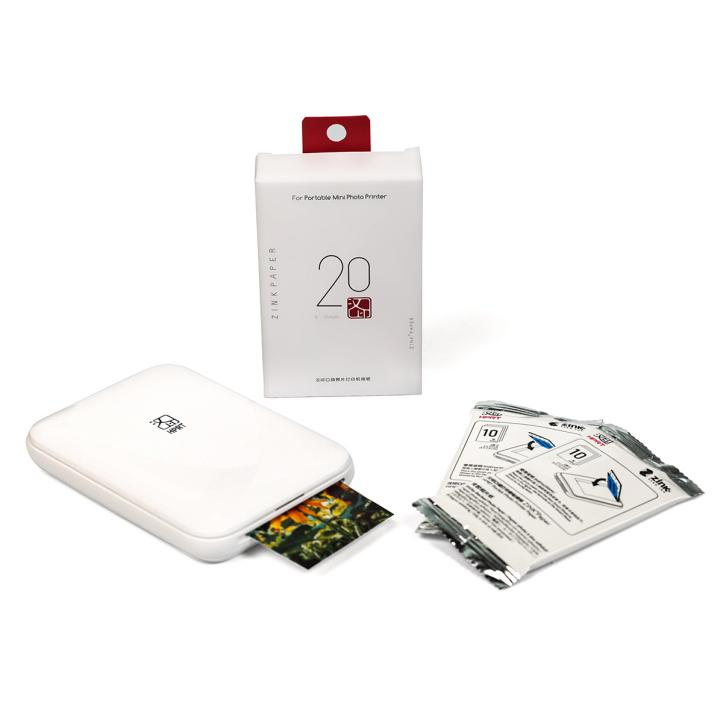
For portable ZINK photo printers, 2 × 3 inches—about 50 × 76 mm—is the most common paper size. This small format fits easily into journals, scrapbooks, planners, travel diaries, and DIY projects.
ZINK paper is commonly sold in 10-, 20-, 50-, or 100-sheet refill packs, depending on the brand and printer model. Larger packs can reduce the cost to less than $0.50 per print, often cheaper than similarly sized traditional silver-halide photo prints.
• Can ZINK Printers Make Stickers?
Yes, but the type of sticker depends on the printer and media.
ZINK photo printers use adhesive-backed photo paper to create small photo stickers for journals, scrapbooks, planners, and travel diaries.
Dedicated ZINK label printers, such as the Hanin ZP100, use label media to print custom color stickers and labels. They are better suited to text labels, dates, storage organization, gift tags, and decorative journal elements.
In short, choose a ZINK photo printer for photo stickers and a ZINK label printer for custom labels and stickers.
• Can you use any ZINK paper in any ZINK printer?
Not necessarily. Buy ZINK paper that matches the printer's required size and media specification.
ZINK is the underlying printing technology, but individual printer designs can use different paper dimensions, calibration methods, and media configurations. Check the specifications for the exact printer model before ordering refill packs.
How Long Do ZINK Prints Last—and Do They Fade?
ZINK photos can fade or shift in color over time. There is no single lifespan for every print, because longevity depends mainly on cumulative light exposure, heat, humidity, handling, and storage conditions.
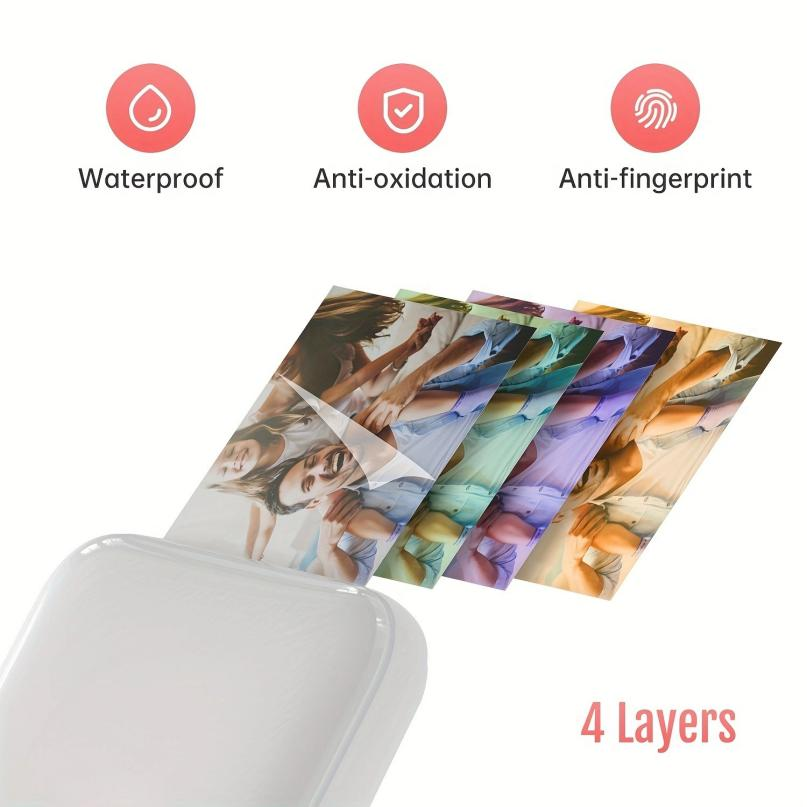
ZINK photo paper is water-, tear-, and smudge-resistant, but these properties do not mean the print is permanently fade-proof. Direct sunlight, hot cars, heaters, and frequent rubbing can accelerate color changes, while photos stored in a closed journal, album, drawer, or storage box are better protected.
For best results, keep unused paper in its original packaging and store both paper and finished prints in a cool, dry place away from direct sunlight. For important memories, keep the original digital photo so it can be reprinted if needed.
Which Is Better: a Dye-Sublimation Printer or a ZINK Printer?
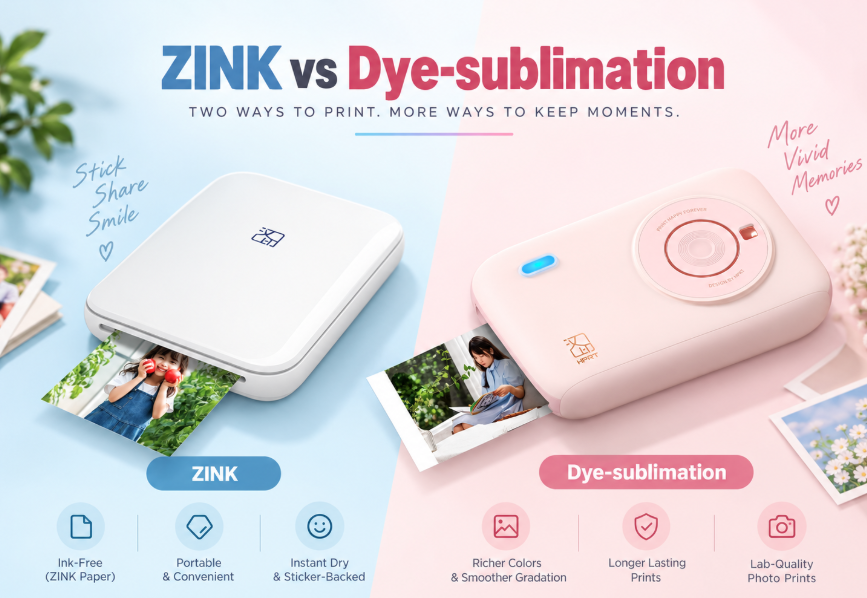
ZINK is usually the better fit for maximum portability and sticker photos; dye-sublimation is usually better when photo quality and long-term image stability carry more weight.
Both technologies use heat, but the consumable systems differ. ZINK places the image-forming materials inside the paper. Dye-sublimation uses a dye ribbon to transfer color to dedicated photo paper and add a protective overcoat.
|
Priority |
ZINK Photo Printer |
Dye-Sublimation Photo Printer |
|
Typical print sizes |
Usually 2 × 3 in. |
Commonly 2 × 3 in., 3 × 4.5 in., or 4 × 6 in., depending on the model |
|
Printer size |
Often pocket-size |
Portable, but usually larger than ZINK models |
|
Consumables |
Dedicated ZINK photo paper only |
Dedicated photo paper plus a matching dye ribbon |
|
Adhesive-backed photos |
Common with sticker-backed ZINK paper |
Available only with selected media or sticker formats |
|
Print speed |
Often about 40–50 seconds for a 2 × 3 in. photo |
Commonly about 50–70 seconds for a 4 × 6 in. photo; smaller formats vary by printer |
|
Photo quality |
Warm-toned, slightly soft, instant-photo-style output for casual creative prints. |
Typically stronger color gradation, detail, and photographic finish |
|
Cost per print |
Often about $0.50 more or less for a 2 × 3 in. print, depending on pack size and brand |
Often about $0.35–$0.45 for a 4 × 6 in. print; smaller dye-sub formats can cost more |
|
Long-term storage |
Depends heavily on media and storage conditions |
Often rated to last for decades and a stronger option when photo longevity is a priority. |
|
Best uses |
Journals, scrapbooks, planners, travel diaries, and small photo stickers |
Family albums, photo gifts, events, and larger display-worthy prints |
Note: Cost per print varies by brand, paper size, refill pack size, region, and promotion.
Hanin's MT53 and CP2100 illustrate the trade-off: the 150 g MT53 uses ZINK technology to produce compact photo stickers, while the 280 g CP2100 uses 300 dpi dye-sublimation printing with a protective overcoat for larger, higher-quality photo output.
What Is the Best Printer for Journaling and Scrapbooking?
For journaling and scrapbooking, ZINK printers are ideal for small, adhesive-backed prints made directly from a smartphone—no ink or ribbons needed. Choose the Hanin MT53 when you want ready-to-stick photo prints. Choose the Hanin ZP100 for custom color labels, captions, decorative strips, and other non-photo stickers.
• Hanin MT53: Best Mini Photo Printer for Scrapbook
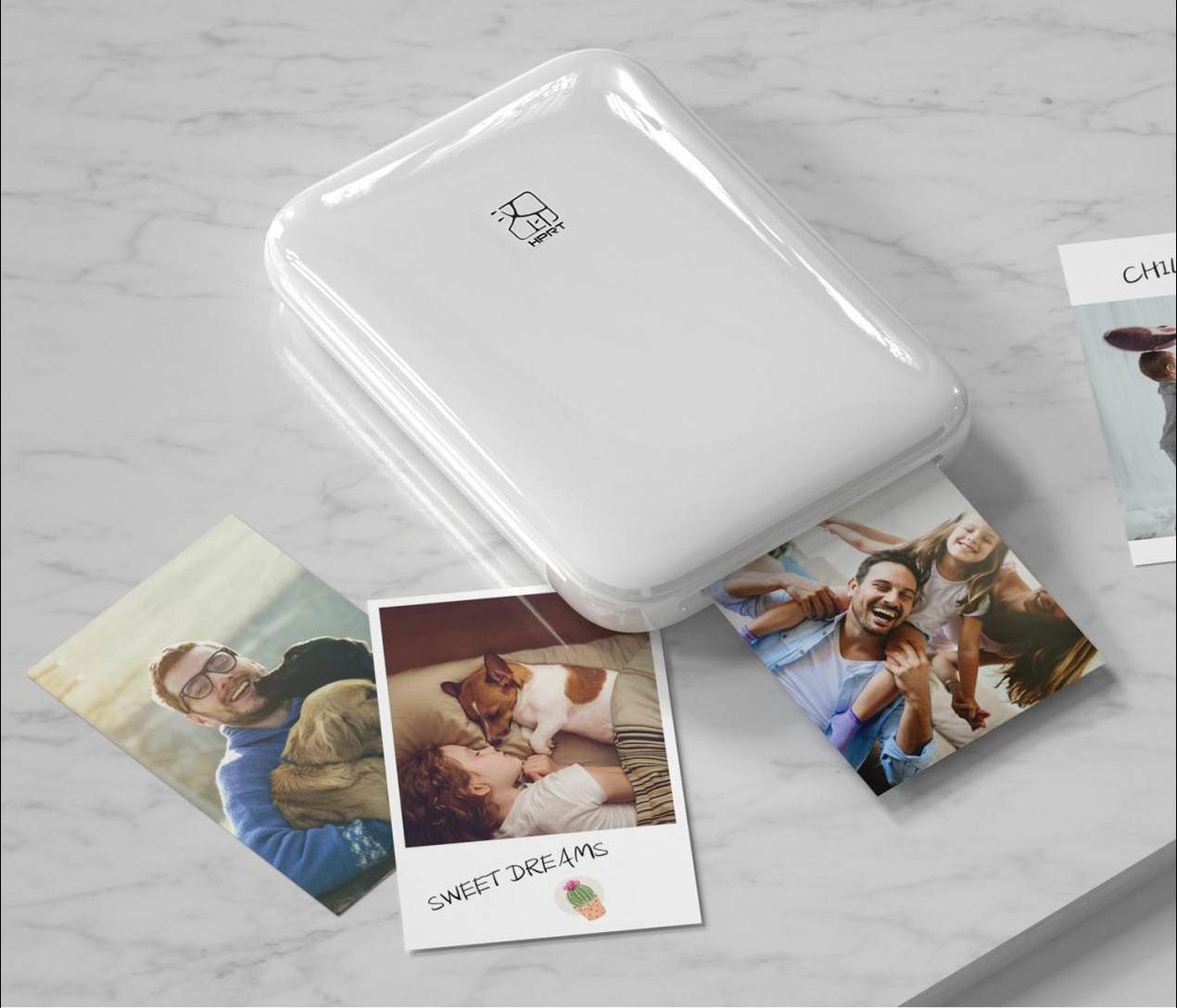
Winner of the 2022 Red Dot Design Award, the Hanin MT53 is a pocket-size ZINK photo printer made for quick, creative photo printing from a smartphone. It produces 2 × 3-inch adhesive photos that can be peeled and placed directly into journals, scrapbooks, travel diaries, K-pop photocard pages, phone cases, or luggage.
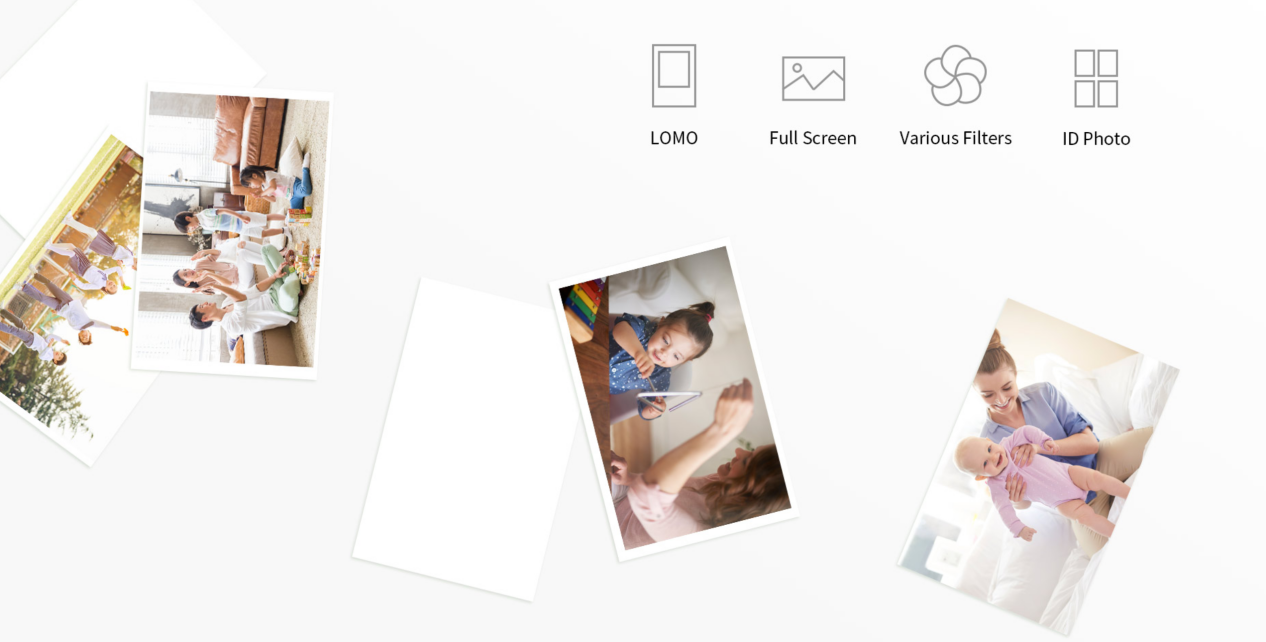
Bluetooth printing works with Android and iOS, while the companion app adds filters, templates, collages, color adjustments, and 15-second AR photo effects. With no ink cartridge, ribbon, glue, or tape to manage, the MT53 keeps small photo projects simple and portable.
Key Specs
✔️ Print method: ZINK color printing
✔️ Resolution: 313 dpi
✔️ Media: 2 x 3 in. adhesive-backed Hanin ZINK photo paper
✔️ Connectivity: Bluetooth; Android / iOS support
✔️ Battery: 550 mAh, up to approximately 20 prints per full charge
✔️ Size & Weight: 84.3 × 118 × 20 mm; 150 g
• Hanin ZP100: Best Color Label Maker for Custom Stickers
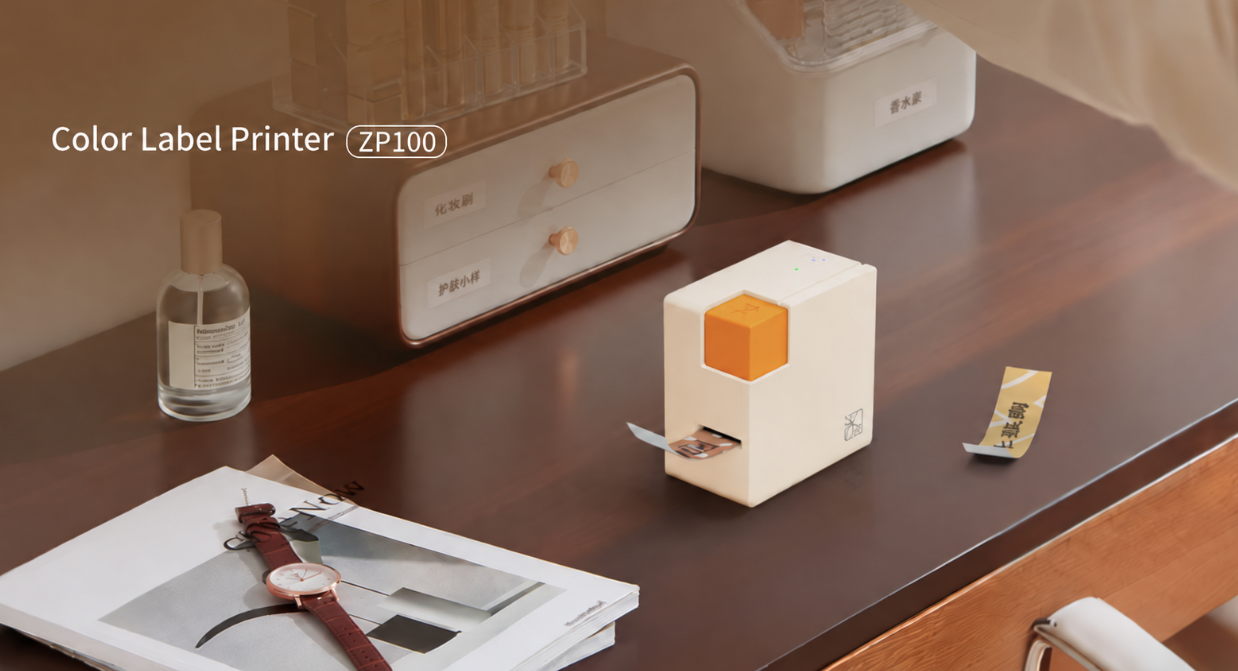
The Hanin ZP100 is a portable ZINK color label maker for custom stickers, journal titles, planner labels, gift tags, and scrapbook decorations. It uses continuous adhesive label media and a built-in cutter, so users can create labels and decorative strips in different lengths without trimming them by hand.
It connects to Android and iOS devices via Bluetooth, while the HerePrint app provides templates and editing tools for quick, flexible label design.
✔️ Print method: ZINK color printing
✔️ Resolution: 260 dpi
✔️ Media: 15 × 3000 mm adhesive-backed ZINK label roll
✔️ Cut length: Adjustable from 25 to 200 mm
✔️ Connectivity: Bluetooth; Android / iOS support
✔️ Size & Weight: 80 × 45 × 80 mm; 210 g
ZINK technology is a strong fit for portable, creative photo printing where compact size, simple consumables, and sticker-friendly output matter most.
To find the right fit, explore Hanin's range of ZINK photo printers and instant cameras. Choose based on how you plan to use it—everyday photo printing, journaling, travel, or DIY sticker projects.